Which Client Pages Should You Actually Monitor? (Per-Site Playbook)
A per-site monitoring playbook for agencies: which client pages to watch, which signals matter, how to prioritize on a budget, and the onboarding checklist to set coverage fast.
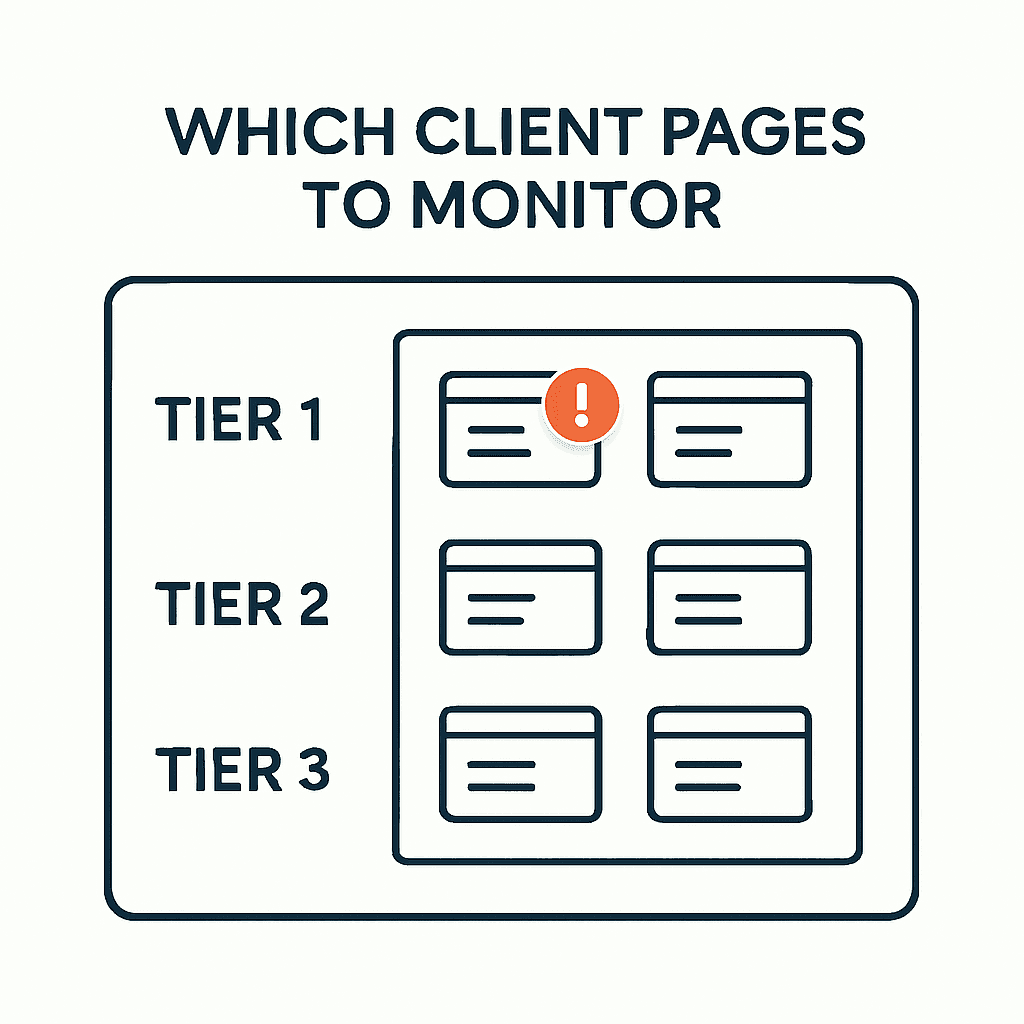
Most monitoring plans fail at the extremes. Watch every page and you buy noise. Watch only the homepage and you miss the pages that make money. This playbook gives agencies a better model: three coverage tiers, the right signals for each tier, budget-aware prioritization, and a reusable onboarding checklist. It works for ecommerce, local services, SaaS, lead-gen sites, and publishers. The focus stays on browser-rendered evidence: the page your customer sees.
Why "Monitor Everything" and "Homepage Only" Both Break
"Monitor everything" sounds thorough. In practice, it drives cost, alert noise, and maintenance work. Rendering hundreds or thousands of pages burns compute. Small, expected changes—price updates, inventory shifts, editorial edits—trigger alerts that teams learn to ignore.
"Homepage only" is cheaper, but it misses where the business happens: product pages, pricing, checkout, campaign landing pages, and local location pages. A homepage that returns 200 OK can hide a broken checkout entry or a dead paid landing page.
The middle path is simple: monitor the pages tied to revenue, leads, and search visibility. Sample the long tail. This is the same principle behind homepage-isn't-enough thinking — but applied across a whole agency portfolio.
Use a Three-Tier Coverage Model
Use three tiers: Tier 1 for revenue and lead pages, Tier 2 for supporting pages, Tier 3 for long-tail sampling.
Tier 1: Revenue / Lead pages (highest alert priority)
- Homepage, if it drives traffic or conversions
- Primary product or service pages
- Pricing and plans
- Active campaign landing pages
- Cart and checkout entry pages where relevant
- Contact and lead-gen forms, including submit endpoints
Tier 2: Supporting pages (medium priority)
- About, team, and trust pages
- Key SEO landing pages and pillar content
- Location pages for local businesses
- Login or account pages tied to conversion flows
Tier 3: Long-tail pages (low priority, sampled)
- Older blog posts, deep product pages, tag archives, category archives
- Regional or language variants not under promotion
This keeps the set small and tied to business impact. Map severity to tiers: page Tier 1, send Slack or email for Tier 2, and use rollups or anomaly detection for Tier 3.
What to Watch on Each Tier
HTTP 200 is not enough. Watch browser-rendered signals that reflect what users get.
Tier 1 signals — check these on every Tier 1 page:
- Page renders and is not blank: capture a screenshot and DOM snapshot.
- Title and H1 exist and look sane, not just "Untitled".
- Primary CTA is present, visible, and enabled: "Add to cart", "Sign up", "Contact us".
- Form fields and submit button exist. Confirm submit returns the expected redirect or response.
- Structured data is intact: product schema, organization, breadcrumbs.
- Indexability signals are correct: robots meta and canonical are not broken or set to noindex by mistake.
- Key scripts load: payment, cart, analytics, tag manager, product-detail scripts.
- Console and resource failures: JavaScript exceptions, failed resources, CORS failures, blocked scripts.
- Performance smoke test, if needed: render time and a sampled Largest Contentful Paint.
Tier 2 signals — narrower checks for content and discoverability:
- Title and meta description exist
- H1 exists and main content is not empty
- Structured data where relevant: article, local business
- Canonical and robots meta
- Third-party scripts that affect UX, like maps and review widgets
Tier 3 signals — lightweight sampling:
- Periodic screenshot and visible-text count
- Weekly indexability flags, or checks triggered by crawler findings
- Rotating sample of 5–10% of long-tail pages
For every signal, capture evidence: screenshot, rendered HTML snippet, console logs, and resource failures. That turns an alert into something a team can fix. DataJelly Guard captures all of these artifacts automatically with each check.
Adjust Coverage by Client Type
The same framework applies across clients. The page mix does not.
Ecommerce (Shopify, BigCommerce, custom storefront)
- Tier 1: Product pages for SKUs driving the most revenue, top collection pages, cart, checkout entry, pricing and promo pages.
- Watch for: missing price, missing images, broken variant selector, missing or disabled add-to-cart, removed product schema, blocked payment scripts.
- Example rule: Monitor the top 20 SKUs by revenue. Rotate another 30 SKU pages weekly.
Local service business (plumbing, HVAC, dental)
- Tier 1: Service pages, contact and booking forms, location pages, quote and estimate flows.
- Watch for: missing lead form, broken map widget, broken telephone link, noindex added to location pages.
- Example: For a multi-location client, monitor every city page and the booking confirmation page.
SaaS (self-serve signup)
- Tier 1: Pricing page, signup page, authentication entry pages, docs or onboarding entry pages if they convert.
- Watch for: broken signup submit, failing OAuth provider, accidental noindex on pricing, third-party scripts interfering with signup.
- Example: Monitor pricing and signup with a smoke test for account creation: form presence plus submit redirect, without completing billing.
Lead-gen / Marketing site
- Tier 1: Campaign landing pages, primary contact forms, pricing, case-study CTAs.
- Watch for: missing CTA, form endpoint failures, promo pages going offline during paid campaigns.
- Example: During an ad campaign, increase check frequency for ad landing pages and raise alert severity.
Content / Publisher
- Tier 1: High-traffic articles, subscription wall, ad-related components that affect revenue.
- Watch for: missing article body, paywall misconfiguration, blocked ad scripts when revenue depends on them, broken article schema.
- Example: Monitor the top 100 articles by pageviews and sample the rest weekly.
Across all client types, map business metrics—revenue, lead volume, traffic, ad RPM—to tiers. If a small set of pages drives most outcomes, those pages belong in Tier 1.
Your site returns 200 OK — but is it actually working?
Guard is the monitoring technology that catches the silent failures other tools miss. KeyPages.ai is where you turn it on. Audit any URL free first — no signup, results in 30 seconds.
Run a free page auditHow to Prioritize When a Site Has Hundreds of Pages
Most clients do not have budget for full coverage. Prioritize with scoring, tiers, and sampling.
Step-by-step workflow:
- Inventory: Pull a page list with traffic, conversions, and revenue attribution. Use GA4, server logs, and commerce data.
- Rank by impact: Sort by revenue, conversion volume, sessions, or campaign spend. Use a score such as alpha × revenue + beta × conversions + gamma × sessions.
- Assign tiers: Top N by score go to Tier 1. Next M go to Tier 2. The rest go to Tier 3.
- Set frequency: Tier 1 every 5–15 minutes during business hours, or 24/7 for checkout paths. Tier 2 hourly or every 2–4 hours. Tier 3 daily or on a weekly rotation.
- Sample and rotate: For large long tails, monitor a rotating sample. Example: check 5% of long-tail pages daily with a fixed random seed to catch systemic regressions.
- Promote on events: During campaigns, promotions, or deploys, move relevant pages to Tier 1 and increase frequency.
- Cap to budget: Convert page count and frequency into monthly checks. Then adjust to fit budget and agreed service levels.
Practical rules:
- Watch checkout entry and payment pages 24/7. Silent checkout failures cost revenue fast.
- Watch any landing page with active paid spend at the highest frequency you can afford during campaign windows.
- For SEO-heavy clients, watch the top 50 organic landing pages by sessions.
- Use browser-rendered checks. An origin 200 is not a user experience check.
Example trade-off: If a client has 500 product pages but budget covers 100 monitors at 15-minute frequency, watch the top 80 by revenue and rotate the other 20 among the next 200 each week.
Capture Evidence, Not Just Alerts
An alert without evidence wastes time. Capture the artifacts that explain the failure.
Essential evidence for Tier 1 alerts:
- Screenshot: shows what the user saw
- Rendered HTML snippet: helps isolate hydration and SSR mismatches
- Console errors and stack traces: points to JavaScript failures
- Resource load failures: shows blocked or failed third-party scripts
- Title, H1, canonical, and robots meta values: surfaces content and indexability regressions
- Visible text length and word count: fast signal for missing content
Actionable examples:
- Screenshot shows a blank page even though the URL returns 200. Rendered HTML shows a missing root element. Console logs show a hydration error. That points to a frontend deploy failure.
- Title and H1 switch to "Coming Soon" across product pages after a data change. Rendered HTML contains a CMS placeholder. That points to a content sync or build failure.
- Add-to-cart disappears. Console logs show a payment vendor script blocked by new CSP headers. Resource logs show a 403. That points to a header rollback or allowlist update.
Good evidence cuts false positives and speeds triage. The Guard test suite captures all of these signals per check.
Client Onboarding Checklist for Coverage
Use this checklist to build the monitoring plan before you turn anything on.
Onboarding coverage checklist:
- Business goals and critical paths
- Which pages directly generate revenue or leads?
- Which pages support active ad campaigns? Include dates and UTM links.
- Data sources and ranking
- Provide GA4 access or a CSV export of pages by conversions and sessions.
- Provide revenue attribution by page or SKU, if available.
- Page inventory
- Export the sitemap, crawl results, or product list in CSV or JSON.
- Identify languages, locales, and subdomains that need separate checks.
- Tier assignment
- List Tier 1 pages explicitly.
- List Tier 2 pages explicitly.
- Define Tier 3 sampling rules: percentage and rotation frequency.
- Signals and thresholds
- For each Tier 1 page, define required checks: for example, "Add to cart" visible, price present, form submit returns 302.
- Define severe versus warning conditions: for example, missing CTA = severe.
- Monitoring frequency and escalation
- Set cadence by tier.
- Set alert channels and escalation: on-call, email, Slack, paging.
- Deploy and campaign windows
- Raise frequency during deploys and campaign windows.
- Baselines and exclusions
- Document expected variation, such as A/B tests and price updates, to reduce false positives.
- Access and evidence workflow
- Provide credentials or test accounts for authenticated checks if needed. Rotate test secrets securely.
- Define who receives evidence and who owns each failure type.
- Review cadence
- Review tier assignments and coverage every quarter.
Operational Rules That Improve Signal-to-Noise
A few operating rules make monitoring far more useful.
- Automate campaign promotion: connect your ad platform or marketing calendar so campaign landing pages move to Tier 1 during live windows.
- Watch deploy windows harder: run higher-frequency checks during and right after frontend releases. Suppress expected canary failures only if rollback is fast and reliable.
- Keep content baselines: store expected H1s, titles, and snippets so benign editorial edits do not trigger alerts.
- Pipe evidence into incident tools: attach screenshots and rendered HTML to tickets automatically.
- Write runbooks by alert type: for example, "missing CTA" → check console failures, script host responses, and CMS data feeds.
- Review false positives weekly for the first 30 days after onboarding. Tighten thresholds fast.
Monitoring is maintenance work. Treat it like any other production safety net.
Why Browser-Rendered Evidence Matters
Browser-rendered evidence—screenshots, rendered HTML, console logs, and resource failures—is what separates real page monitoring from basic uptime checks. A page can return 200 OK and still be blank, broken, or missing the CTA. Browser evidence catches the failures that kill conversions.
If you want tooling that captures these signals and stores evidence with each alert, DataJelly Guard monitors important production pages, captures screenshots and DOM snapshots, and alerts when pages silently break. It helps detect revenue-page failures and collect rendered evidence. The framework above works with any browser-based monitoring tool.
Closing Thought
Monitor pages that drive outcomes, not vanity coverage. Watch signals tied to the real user experience. Sample the rest. With tiered coverage and a short onboarding checklist, an agency can catch the silent failures uptime monitors miss—without paying for noise.
In your next client kickoff, list Tier 1 pages, define the exact checks for each one, and run a 72-hour high-frequency watch after the next deploy or campaign launch.
Your site returns 200 OK — but is it actually working?
Guard is the monitoring technology that catches the silent failures other tools miss. KeyPages.ai is where you turn it on. Audit any URL free first — no signup, results in 30 seconds.
Run a free page audit