Files Crawlers Depend On: robots, sitemaps, llms, favicons
Practical guide to monitoring robots.txt, sitemap.xml, llms.txt, favicons, and social metadata. Catch 404s, bad directives, cache bugs, and deploys that quietly break discovery.
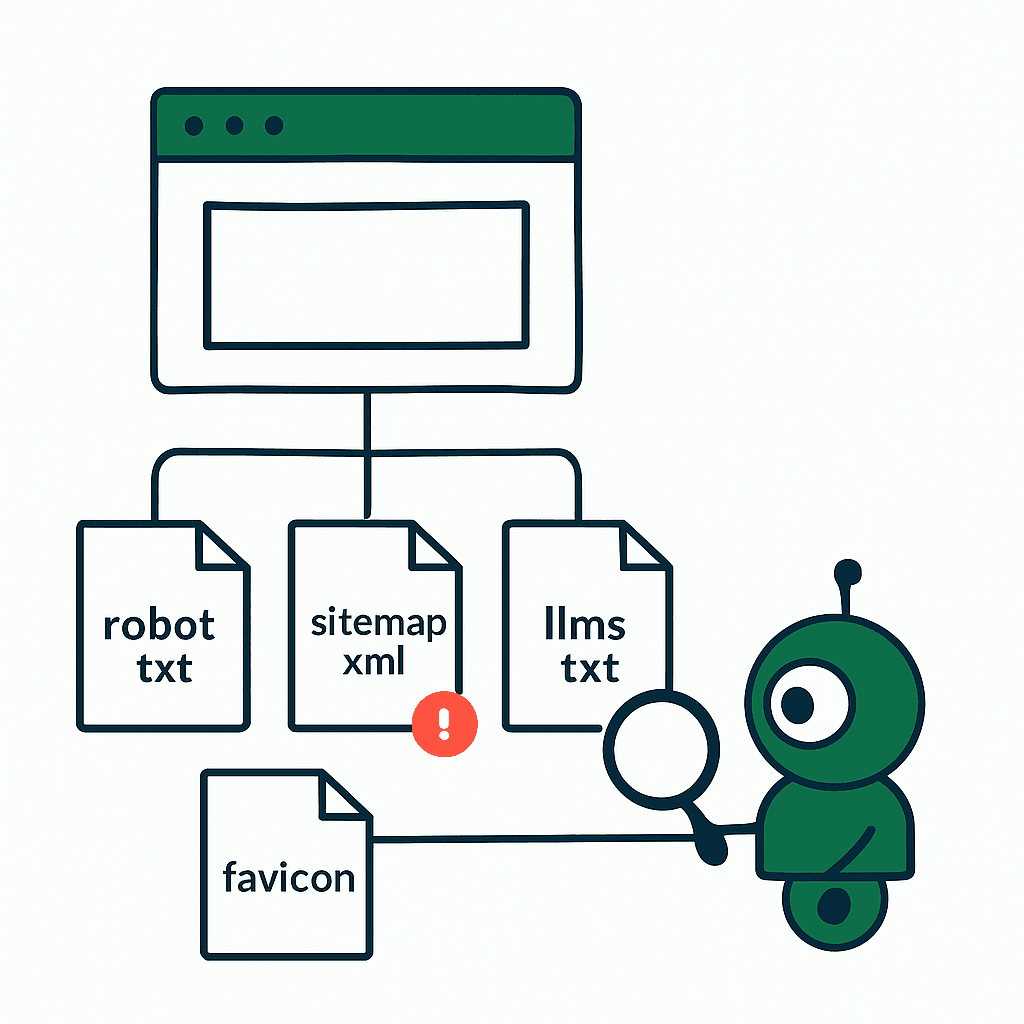
Crawlers don't start with your app. They start with a few boring files: robots.txt, sitemap.xml, llms.txt, favicons, and social metadata. Break one, and indexing, previews, or AI crawling can drift fast. Usually without logs. Usually without complaints. This guide covers what each file does, how it fails, and what to monitor before a deploy burns your public surface area.
robots.txt — The gatekeeper with blunt instruments
What it is: robots.txt tells crawlers what they may fetch and what they should avoid. It lives at the root: https://example.com/robots.txt. Small file. Huge blast radius.
Common failures
- Accidental 404/500: A deploy skips static assets. Crawlers either treat the site as unconstrained or fall back to cache. Google treats a missing robots.txt as "allow all," but 500s create messy behavior.
- Overbroad Disallow: One stray Disallow: / can wipe the site from indexing.
- Bad Host or Sitemap directives: Wrong host: or sitemap: lines send crawlers toward the wrong canonical host.
- Wrong content-type or oversized file: Some bots expect text/plain. Large or binary responses confuse parsers.
Concrete examples
- Bad directive: Disallow: /*? makes Googlebot skip query-string resources you meant to expose.
- Missing file: After a static-server deploy, /robots.txt returned 404 for 12 hours. Discovery dropped.
How to test locally
- curl -I https://example.com/robots.txt
- Use Google Search Console's robots tester and Bing Webmaster Tools.
Suggested monitoring checks
- HTTP 200 at the root every 5–15 minutes from multiple regions.
- Content validation: flag Disallow: / unless it's intentional.
- Size and type: file < 32KB, content-type text/plain or text/plain; charset=utf-8.
- Diff check: alert when the file changes. Store the canonical copy in CI. Example rule:
- If robots.txt hash != expected -> P1 alert
Short sample robots.txt
User-agent: *
Disallow: /private/
Sitemap: https://example.com/sitemap.xml
Opinion: Treat robots.txt like safety-critical config. No unreviewed edits. Ever. This is exactly the kind of silent, deploy-time regression that DataJelly Guard's static file monitoring is built to catch.
sitemap.xml — Your map, but fragile
What it is: sitemap.xml and sitemap indexes tell crawlers which URLs matter and when they changed. It sits at a predictable path. It also breaks in predictable ways.
Common failures
- Missing or stale sitemap: Dynamic sites often generate sitemaps in CI. If generation fails, the sitemap ships old URLs or none.
- 404 or 500 responses: Some CDNs route .xml requests to the app, which then 404s.
- Incorrect URLs: Wrong domain, http/https mismatches, or locale errors create indexing drift.
- Oversized file or bad XML: A sitemap must contain fewer than 50,000 URLs or be split. Invalid XML stops parsing.
Concrete example
- A migration generated sitemaps pointing to staging.example.com. Search engines followed staging URLs, canonical conflicts spread, and organic traffic slid over the following weeks until the sitemaps were regenerated.
Checks and monitoring
- HTTP 200 for /sitemap.xml and sitemap index files every 10 minutes.
- XML parse test: validate well-formedness. Example: curl -sS https://example.com/sitemap.xml | xmllint --noout -
- Content checks: count <url> nodes and ensure each file stays under 50,000. Example: curl -s https://example.com/sitemap.xml | xmllint --xpath 'count(//url)' -
- URL sanity: fail if non-production hostnames appear.
Operational advice
- Generate sitemaps in the pipeline. Fail the deploy if generation fails.
- Expose sitemap generation logs. If you serve sitemaps from object storage, monitor PUT success and lifecycle rules.
llms.txt — The newcomer AI crawlers watch
What it is: llms.txt is an emerging convention for publishing policies for LLM crawlers. It usually lives at /.well-known/llms.txt or /llms.txt. Format is simple. The consequences are not.
Why it matters
- AI vendors may use it to find licensing terms, scraping rules, or contact details. Missing or malformed files can mean unwanted scraping or exclusion.
Common failures
- Wrong location: Some vendors check only /.well-known/llms.txt. Others check root.
- Bad encoding or MIME type: Some parsers expect UTF-8 and text/plain.
- Missing contact details or vague policy: Vendors look for clear terms and a contact email.
Example llms.txt
Contact: privacy@example.com
Policy: no-store
Crawl-Delay: 10
Monitoring ideas
- Check availability and diff content.
- Validate required keys. If you require Contact and Policy, assert both.
- Alert on policy changes. If Policy flips from no-store to store, a human should look at it.
Note: llms.txt is new. Treat it like robots.txt for AI crawlers: public, readable, version-controlled. Since AI crawlers don't run JavaScript and rely on these raw files, this directly affects how AI crawlers read your site.
Your site returns 200 OK — but is it actually working?
Guard is the monitoring technology that catches the silent failures other tools miss. KeyPages.ai is where you turn it on. Audit any URL free first — no signup, results in 30 seconds.
Run a free page auditFavicons and site assets — tiny files, big effects
What they are: favicons, apple-touch-icon.png, manifest.json, and related assets drive browser UI and install flows. Tiny files. Easy to ignore. Easy to break.
Failure modes
- 404 for /favicon.ico: Browsers try several paths. If all fail, tabs and bookmarks show blanks or fallback icons. Not a ranking hit, but a brand hit.
- Wrong Content-Type: Serving PNG as application/octet-stream breaks some clients.
- Cache-control bugs: Aggressive caching keeps an old favicon alive for weeks. Example: Cache-Control: max-age=31536000 on favicon.ico, with no cache-busting, can leave the old icon in place for most returning users for a month or more.
- Missing manifest.json or broken icons in the manifest: PWA install UI fails.
Monitoring
- HTTP checks for /favicon.ico, /apple-touch-icon.png, and /site.webmanifest every 30 minutes.
- Validate content-type: image/x-icon or image/png for icons; application/json for the manifest, plus schema validation.
- Check cache headers: warn on long-lived immutable caching without versioned filenames.
Concrete remediation
- Use hashed filenames for long caching. Example: favicon.3f2a9.ico. Update link rel in HTML during deploy.
- Set Cache-Control: public, max-age=31536000, immutable only on hashed assets. Serve them from a CDN.
Social metadata — previews often fail without alerting anyone
What it is: Open Graph tags and Twitter Card metadata control how links render in feeds and chat apps. They live in <head> and point to title, description, and image URLs.
Silent failures
- Image 404s: A missing og:image produces ugly text-only previews. Facebook and Twitter cache preview assets aggressively. If their bot fetches a missing image once, they may cache the miss.
- Bad dimensions or content-type: Social platforms expect images >= 200x200 and served as image/jpeg or image/png.
- Robots blocking previews: If og:image sits behind auth or robots blocks it, crawlers can't fetch it.
Checks to add
- Headless HTML fetch: assert og:title, og:description, and og:image exist.
- Validate og:image: fetch the URL, then check HTTP 200, content-type, and dimensions. Example: curl -sL https://example.com/path/to/og.jpg -o /tmp/og.jpg && identify -format "%w %h %m" /tmp/og.jpg
- Use Facebook Sharing Debugger or Twitter Card Validator when images change. If possible, automate re-scrape calls after deploys.
Operational notes
- Host preview images on a fast public CDN. Use versioned URLs. You can confirm what crawlers actually receive with a free page audit before you ship.
Monitoring strategy — practical checklist and alerts
You don't need exotic tooling. You need a few checks that actually catch failures.
What to monitor (minimum)
- Availability: HTTP 200 for robots.txt, sitemap.xml, llms.txt, favicons, manifest.json, and social images from sample pages.
- Content checks: text/plain for robots and llms, XML parsing for sitemaps, JSON and schema validation for manifests, required meta tags in HTML.
- Semantic checks: no Disallow: / in robots unless intentional; no staging hostnames in sitemaps or social tags.
- Cache header inspection: warn on long-lived caches for non-hashed files.
- Diff/hash: store known-good hashes from CI. Alert on changes you didn't approve.
Alerting policy suggestions
- P1: robots.txt returns 5xx or Disallow: / appears unexpectedly.
- P2: sitemap missing, or sitemap URLs drop >30% from the last good copy.
- P3: favicon changed or stale caching detected.
Testing and CI
- Add robots, llms, and sitemap validation as pipeline gates. Fail on schema or syntax errors.
- Run post-deploy smoke tests from multiple regions. Finish within 5 minutes of deploy.
Example simple health-check script (node pseudocode)
const got = require('got');
async function checkRobots() {
  const r = await got('https://example.com/robots.txt');
  if (r.statusCode !== 200) throw new Error('robots missing');
  if (/Disallow:\s*\//m.test(r.body)) throw new Error('site-wide disallow');
}
Run this in CI. Run it from production on a cron. Trust neither environment. The full set of checks Guard runs is documented in the test catalog.
Putting it into practice — a short playbook
- Version-control the canonical copies of robots.txt, llms.txt, and sitemap templates.
- Fail CI on sitemap generation failures or robots syntax errors.
- Smoke-test from multiple regions right after every deploy.
- Use hashed filenames for favicons and preview images. Set long cache headers only on hashed assets.
- Alert on unexpected content changes, not just outages. A tiny edit can do more damage than downtime.
Real-world numbers
- Frequency: check critical static files every 5–15 minutes. If traffic is global, check from at least 3 regions.
- False positives: CDNs throw transient 5xx errors. Use a 3-attempt retry window inside 60 seconds before paging.
- Impact: in one audit, a missing sitemap lined up with a clear drop in fresh URL discovery over two weeks, and discovery recovered within days of restoring it.
Final note These files look trivial. They are not. They are contracts between your site and every crawler that matters. Monitor them like production systems.
Monitoring these files prevents slow damage to search visibility, AI crawling, and share previews. Add lightweight checks. Validate content. Ship changes through CI. If you want someone else to watch the boring but dangerous stuff, production monitoring tools like DataJelly Guard can run multi-region checks, diff content, and alert when a deploy breaks your public contract with crawlers.
Add robots.txt, sitemap.xml, and og:image checks to your post-deploy smoke tests today — they belong right alongside the rest of your post-deploy production checklist. Five minutes now beats two weeks of wondering where your traffic went.
Your site returns 200 OK — but is it actually working?
Guard is the monitoring technology that catches the silent failures other tools miss. KeyPages.ai is where you turn it on. Audit any URL free first — no signup, results in 30 seconds.
Run a free page audit