Why PCI DSS Now Tracks JavaScript on Payment Pages
PCI DSS now targets browser-side code on checkout pages. Learn why JavaScript matters, what Requirements 6.4.3 and 11.6.1 demand, and how to respond without slowing delivery.
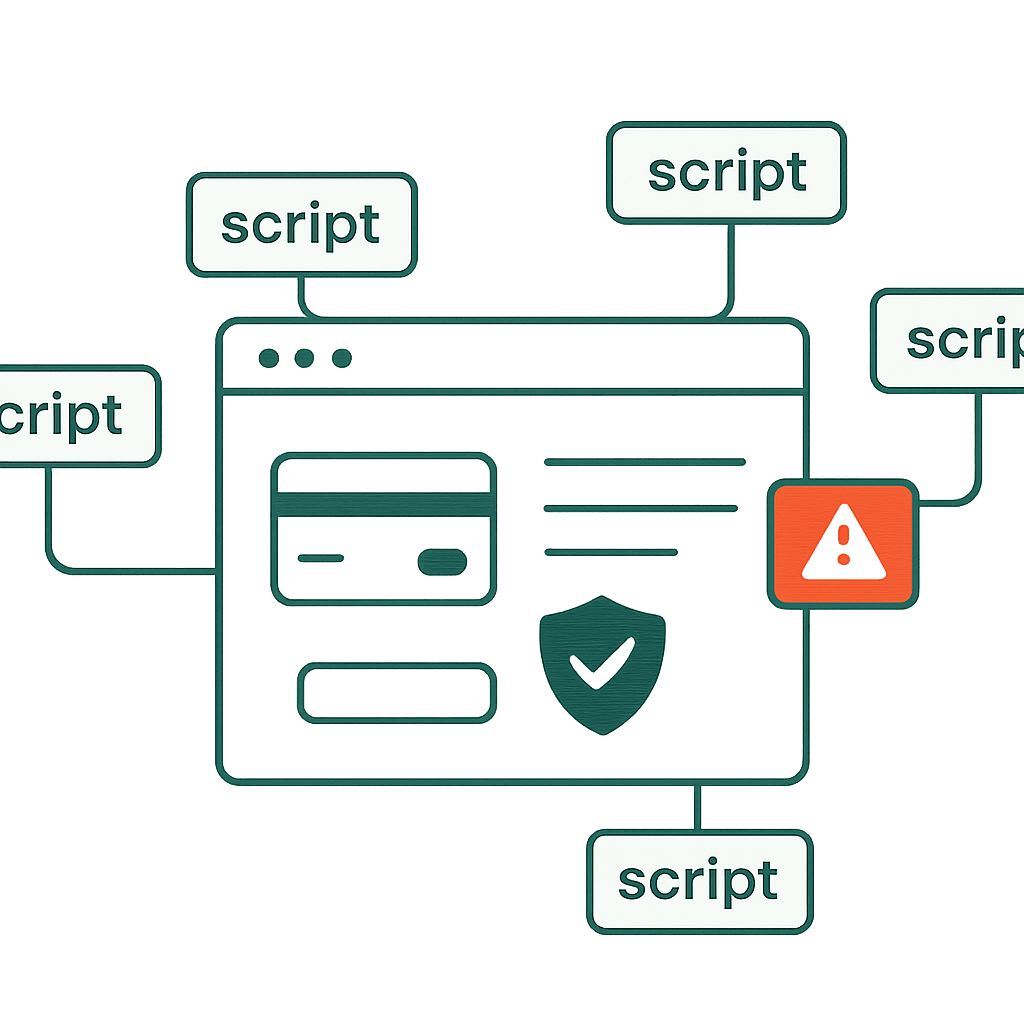
Payment security is no longer just a server problem. PCI DSS now calls out the code running in the customer's browser. Modern checkout pages are runtime environments packed with third-party JavaScript. Those scripts can rewrite the DOM, capture keystrokes, inject more code, and leak data. This article explains why PCI focuses on browser-side scripts, what the new requirements mean in plain English, and what merchants, agencies, and front-end teams should do next.
Why browser-side scripts matter for payment security
A typical checkout page loads far more than a payment widget. Common additions include analytics (Google Analytics, Mixpanel), tag managers (Google Tag Manager, Tealium), fraud tools (Kount, Sift), chat widgets (Intercom, Drift), consent managers (OneTrust), A/B testing scripts (Optimizely), and payment-provider SDKs. Every one of them runs in the customer's browser.
Browser scripts are powerful. They can:
- Read and modify the DOM, including payment forms and tokenized fields.
- Hook event handlers and capture keystrokes or form submissions.
- Inject more scripts or send network requests to third-party endpoints.
- Change checkout behavior or visuals so customers submit different data or see manipulated totals.
That matters because a server returning 200 OK proves almost nothing. It proves the server answered. It does not prove the customer executed the right code. This is the same blind spot we cover in 200 OK But Broken: Why Uptime Monitors Miss It — a malicious or broken script can hijack checkout after that 200 OK, steal card data, or break validation while the backend keeps processing payments like nothing happened.
PCI Requirements 6.4.3 and 11.6.1 in plain English
PCI DSS now spells out controls for client-side scripts. Two requirements matter most on payment pages.
Requirement 6.4.3 (plain): Keep an inventory of all JavaScript and similar client-side code that runs on the payment page. For each script, document why it exists, who approved it, and where it is hosted. If you use a third-party snippet, treat it like code you shipped yourself. Know what it does, why it is there, and who signed off.
What that looks like in practice:
- A script inventory table with columns for script URL, purpose (analytics, fraud, payment), owner (team or vendor), hosting (self-hosted or CDN), approval date, and justification.
- Example entry:
/js/payments/stripe.js— purpose: payment SDK — owner: Payments Team — hosted: self — approval: 2026-03-08 — justification: PCI SAQ-A-EP requirement.
Requirement 11.6.1 (plain): Detect unauthorized changes or tampering in the scripts that run in the user's browser. You need monitoring for the final code customers receive. If a script changes unexpectedly — a CDN file gets replaced, a vendor pushes a new snippet, a tag manager adds a dependency — you must detect it and investigate.
What that looks like in practice:
- A baseline snapshot of the rendered payment page (HTML + scripts) and a way to compare future renders.
- Alerts when a hosted script hash changes or a new external script domain appears on checkout.
Together, these requirements force teams to treat client-side code as part of the cardholder data environment (CDE). Scripts are not harmless marketing glue. They are auditable artifacts.
A note on scope: these requirements apply broadly, including to merchants who previously leaned on SAQ-A because their payment fields live in a provider iframe. Even when card data is entered in an iframe you do not control, the page that hosts it still loads scripts that can read, redirect, or overlay that iframe — which is exactly why the inventory and change-detection controls now reach the hosting page.
Real examples of risk and failure modes
These rules exist because the failures are real.
Example 1 — Third-party compromise: A marketing vendor's CDN got compromised. An ordinary analytics script was replaced with code that exfiltrated form inputs. Checkout loaded the poisoned script and sent cardholder data to an attacker, even though the merchant's backend and payment processor were untouched.
Example 2 — A/B testing gone wrong: An experiment hid the CVV field in one variant. Some customers submitted incomplete data. In some cases, the payment gateway still accepted the transaction, but chargebacks rose because fraud scoring assumed CVV collection.
Example 3 — Consent manager misconfiguration: A consent tool blocked the payment provider's JavaScript until the user clicked accept. Some users left before consenting, so the page never loaded the payment SDK. The backend logged 200 OK for the initial request, but checkout failed for a meaningful slice of users.
Same pattern every time: the page shipped, but the browser ran something else. Servers and gateways cannot see that without client-side evidence.
Your site returns 200 OK — but is it actually working?
Guard is the monitoring technology that catches the silent failures other tools miss. KeyPages.ai is where you turn it on. Audit any URL free first — no signup, results in 30 seconds.
Run a free page auditPractical steps: build an inventory and authorization flow
Start with a script inventory. Low friction. High value.
Step 1 — Discover: Crawl checkout in a browser-like environment and capture all script tags, inline scripts, and dynamically injected scripts. Use a headless browser (Puppeteer, Playwright) to capture the final DOM and network requests after page load and user interactions such as opening a payment modal.
Example Puppeteer snippet to list script src and inline content:
const puppeteer = require("puppeteer");

(async () => {
  const browser = await puppeteer.launch();
  const page = await browser.newPage();
  await page.goto("https://example.com/checkout", { waitUntil: "networkidle0" });

  const scripts = await page.evaluate(() =>
    Array.from(document.scripts).map((s) => ({
      src: s.src,
      inline: s.innerHTML ? s.innerHTML.slice(0, 200) : null,
    })),
  );

  console.log(scripts);
  await browser.close();
})();
Step 2 — Classify: Label each script as payment-critical (payment provider, tokenization), security/fraud, tracking, UX, or experimental. Prioritize payment-critical and security/fraud scripts first.
Step 3 — Authorize: Require ownership and written justification before any script reaches production. A simple approval ticket works: script URL, vendor, purpose, owner, risk assessment, and approval signature (name + date). Keep the tickets as evidence.
Step 4 — Reduce blast radius: Host critical scripts internally when possible. Prefer subresource integrity (SRI) and strict Content Security Policy (CSP) rules:
<script
  src="/static/pay.js"
  integrity="sha384-..."
  crossorigin="anonymous"
></script>
Step 5 — Harden loading: Avoid inline scripts for anything touching payment fields. Inline code is harder to monitor and harder to block with CSP. Use nonce-based CSP only if your build and deploy process is locked down.
Practical steps: detect changes and tampering
Inventory tells you what should run. Detection tells you when reality drifts.
Baseline rendered evidence:
- Capture the fully rendered checkout page (HTML + executed script output) for a known-good build or after any major change.
- Store it as an immutable, date-stamped artifact.
- Include the list of external domains contacted during page load and the content hashes of scripts.
Hashing and checksums:
# Compute and store a hash for each hosted script, then compare daily
sha256sum /path/to/script.js
Alert if a hash changes outside a release window. The same idea applies to the rest of your release surface — deploys break pages your logging stack won't catch, and a silently swapped checkout script is the highest-stakes version of that problem.
Detect unexpected external domains:
- Log browser network requests, including XHR/fetch and script loads.
- Alert when a new third-party domain appears on checkout.
Tamper detection for CDNs:
- CDNs can change files without a deployment.
- Use SRI and pin to a hash when you cannot control the vendor's release cadence.
- If you must load from a vendor CDN without SRI, track delivery signatures and use HTTPS certificate pinning where feasible.
Behavioral monitoring:
- Run synthetic transactions through checkout.
- Verify payment SDK presence, checkout success, and DOM structure such as the card-number field.
- Run these tests across regions and user states, including with and without consent.
Alerting thresholds:
- Alert on any hash change for payment SDKs and other host-critical scripts.
- For analytics, tolerate occasional changes if you must, but still log and review them.
Example monitoring schedule:
- Daily hash check for payment SDKs.
- Weekly crawl and compare for all scripts.
- Real-time alert if checkout loads an unknown external domain.
Developer and agency playbook: fast, safe iterations
Teams still need to ship. Fine. Build controls that don't reward recklessness.
Local development:
- Use environment flags to load mock analytics or local stubs for third-party scripts.
- Keep production-only tags out of local development by default.
Feature branches and staging:
- Make staging mirror production script loading behavior, including tag managers and payment SDKs.
- Run the same crawler and tamper checks in staging before promotion.
Pull request checks:
- Add automated checks for new external script tags.
- A linter rule can fail a PR that introduces
<script src="https://...">without an approved ticket ID.
CD/Deploy pipeline:
- Verify critical script hashes against the approved list during deploy.
- If a hash changed outside a documented release, fail the deploy or require manual sign-off.
Vendor onboarding:
- Treat vendors like code contributors.
- Require a security questionnaire covering release practices, SRI support, and whether they notify customers about critical changes.
Operational playbooks:
- If monitoring flags a changed script, respond fast: (1) take checkout offline or switch to a safe gateway iframe where possible, (2) roll back to a known-good script, (3) investigate vendor or CDN logs, and (4) notify stakeholders and the CISO.
Why rendered payment-page evidence matters
Rendered evidence is what wins audits and incident reviews. Server logs show intent. Repo diffs show what you meant to ship. Rendered snapshots show what the customer's browser actually ran.
What to capture for evidence:
- Final HTML after JavaScript execution.
- All script URLs and their SHA-256 hashes.
- Network requests made during page load, including AJAX, WebSocket endpoints, and beacon calls.
- Screenshots or video of a synthetic user completing checkout.
This answers the questions that matter:
- Did the payment SDK load? From where?
- Did anything inject scripts after page load?
- Did a consent tool block critical resources for one cohort?
Store snapshots in an immutable, searchable archive. If an auditor asks what code ran on 2026-05-01 at 14:23 UTC in a specific region, you should have a precise snapshot, not a shrug.
Wrapping up with practical priorities
Treat client-side JavaScript on payment pages as part of the security perimeter. The checklist is straightforward, even if the execution is not: build a script inventory, require written justification and approval, monitor integrity hashes, capture rendered evidence, and wire change detection into CI/CD and runtime monitoring.
Small controls go a long way. A daily hash check for two payment SDK files. A weekly crawler on checkout. A PR rule that blocks unapproved external scripts. Those steps cut off the worst-case scenario: everything looks clean on the server while a third-party script quietly rewrites checkout.
If you want tooling for rendered snapshots and script-change alerts, DataJelly Guard captures real checkout evidence — the rendered DOM, every script and its hash, and the network calls made during payment — so you can see exactly what ran instead of guessing after the fact.
Crawl your checkout today. Capture a rendered snapshot. List every script. Then ask the question PCI will ask anyway: what changed, who approved it, and would you know if it went bad?
Your site returns 200 OK — but is it actually working?
Guard is the monitoring technology that catches the silent failures other tools miss. KeyPages.ai is where you turn it on. Audit any URL free first — no signup, results in 30 seconds.
Run a free page audit