How Agencies Catch Client Site Failures Before Clients Do
A practical guide for agencies and dev shops to catch silent page breakage across client sites—beyond 200 OK—with rendered checks, evidence, and alert workflows.
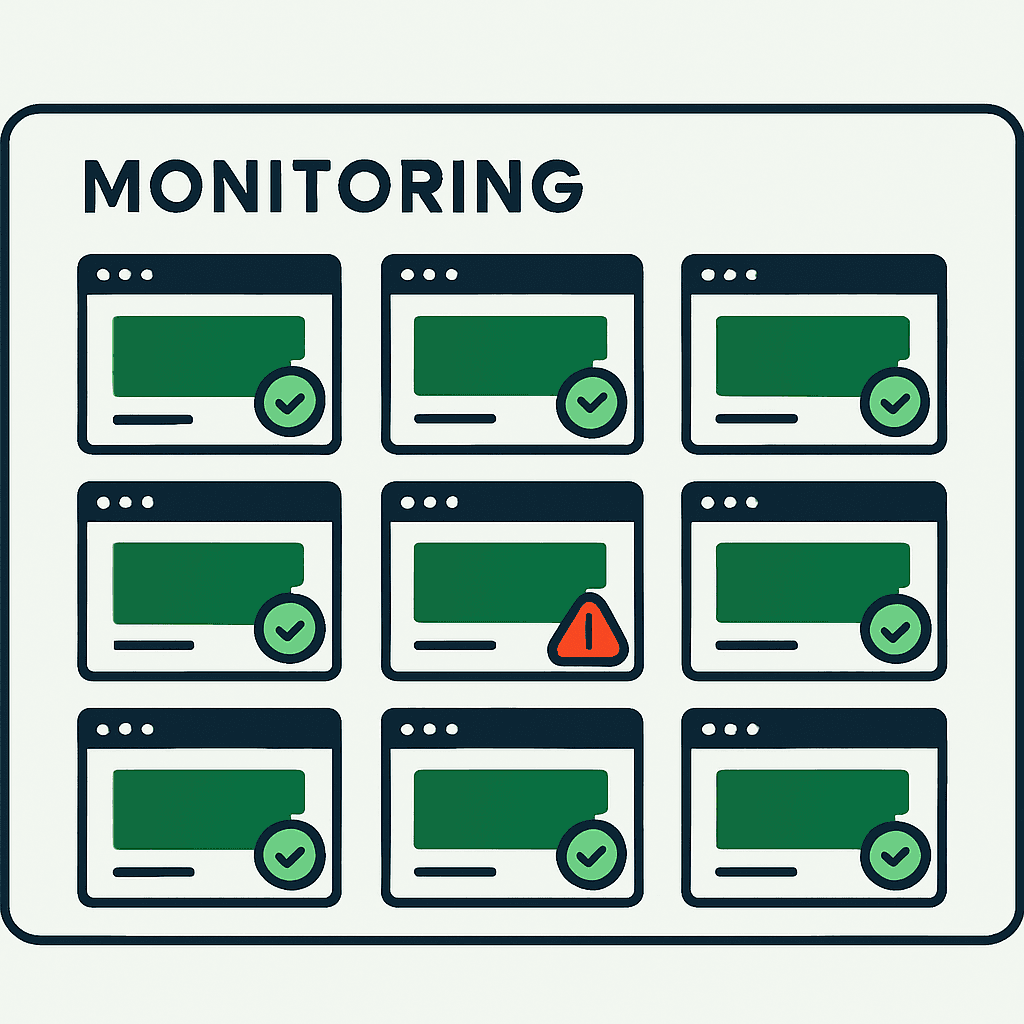
The worst way to learn a client page is broken is from the client. That is a slow, avoidable drain on trust and revenue. If you manage many client sites, a 200 OK alert is not enough. It only tells you the server answered. It says nothing about whether the page still renders, converts, or ranks. What matters is simple: do key pages work in a real browser? This guide covers what to monitor, why rendered checks beat ping checks, how to route alerts with evidence, and how to roll this out across a client portfolio. It is the agency-scale version of a problem we cover in 200 OK But Broken: Why Uptime Monitors Miss It.
The agency failure pattern: many sites, mixed stacks, constant outside changes
Agencies juggle dozens or hundreds of sites across WordPress, Shopify, Webflow, headless React or Next.js, and custom stacks. Clients edit content. Plugins auto-update. Third-party apps inject scripts. Tag managers ship code nobody reviewed. That creates four common failure modes that uptime checks miss.
-
Silent render failures. The page returns 200 OK, but the rendered DOM is empty or key elements never appear after a theme update or JS bundle change. Examples: blank hero, missing CTA button, or a client-side product grid that fails in production.
-
Content regressions. An editor removes a contact form, product description, or structured data. The request still succeeds.
-
Third-party script failures. A broken analytics, ad, or payment script slows or crashes the page and breaks critical flows without changing the HTTP status.
-
SEO regressions. A deploy or plugin change adds noindex, drops canonicals, or removes H1s. Traffic falls while the page still returns 200.
That is the real agency risk. A CMS update, plugin change, or client edit breaks the page, and your monitor stays green. Then the client—or the client's customer—finds it first.
Why HTTP checks miss the failures that matter
Ping checks are useful for server uptime, DNS failures, and basic reachability. They answer one question: did the server respond? They do not tell you whether the page is usable for a visitor or readable for a search engine.
Common misses:
- A WordPress page returns 200, but the theme JavaScript throws a runtime error. The contact form never initializes.
- A Shopify product page loads, but the add-to-cart button is gone because a third-party app failed to render variants.
- A landing page shows an image placeholder because the CDN path changed, while the status stays 200.
- A deploy injects robots noindex into category pages and quietly kills search visibility.
In every case, uptime looks fine. A real browser check is what catches it. This is the same gap that lets an accidental noindex remove SEO traffic without a single failed request.
What good agency monitoring looks like
Monitoring one product is not the same as monitoring 50 client sites. Agencies need broad coverage, client-specific checks, low noise, and evidence they can share fast.
Good agency monitoring includes:
- Per-client page coverage: not just the homepage. Watch the homepage, key landing pages, contact and lead forms, product or pricing pages, checkout entry points, blog templates, and search or results pages.
- Rendered-page checks: run a real headless browser such as Chromium and capture screenshots, rendered HTML, DOM hashes, console logs, and resource errors.
- Content and element assertions: catch a missing H1, title change, missing CTA, absent form field, or hidden add-to-cart button.
- SEO signals: capture canonicals, robots meta, structured data presence, and title or H1 drift from baseline.
- Performance and dependency signals: flag long TTFB, large script loads, and failing third-party scripts that can trigger functional regressions.
- Alert routing: send alerts to the person who owns that client and support escalation rules.
- Shareable evidence: include a screenshot and rendered HTML in the alert so the recipient can see the failure without opening a dashboard.
- Baselines and diffs: store a known-good snapshot and show pixel, DOM, and content diffs for triage.
- Low-maintenance setup: use templates by site type so onboarding stays fast.
The goal is simple: actionable signals, not more green checkmarks.
Which client pages to monitor first
Do not start by monitoring every URL. Start with pages tied to revenue, leads, and traffic. (If you only manage a handful of pages per client, our guide on why the homepage isn't enough maps the same priorities.)
-
High priority (continuous monitoring):
- Homepage
- Contact and lead form pages
- Primary product or pricing pages
- Checkout entry pages for commerce clients
- Paid campaign landing pages
-
Medium priority (frequent monitoring):
- Category or collection pages
- Search or results page
- Login or account entry page
- Top organic landing pages, such as the top 20 by traffic
-
Low priority (nightly or weekly):
- Archive pages
- Low-traffic blog posts
- Internal admin pages
Examples:
- Ecommerce agency with a 200-SKU Shopify site: monitor the product template pattern, one representative product per category, the cart page, checkout entry, and pricing or collection pages.
- Marketing agency running campaign microsites: monitor every live campaign URL, the main contact form, and tracking pixels.
- Agency supporting WordPress sites: monitor the homepage, contact page, a few high-traffic blog posts, and conversion landing pages.
Your site returns 200 OK — but is it actually working?
Guard is the monitoring technology that catches the silent failures other tools miss. KeyPages.ai is where you turn it on. Audit any URL free first — no signup, results in 30 seconds.
Run a free page auditHow to catch changes you did not make
Most breakage comes from edits, updates, and scripts the agency never touched. To catch that, collect three kinds of evidence.
-
Screenshot. This is the fastest proof of a customer-facing regression. It shows what the visitor saw and cuts the back-and-forth.
-
Rendered DOM and HTML. Capture the final HTML and a DOM snapshot. That helps developers find missing elements, bad markup, and script-injected content that never loaded.
-
Runtime diagnostics. Collect console errors, resource and network failures, plus a list of third-party scripts with sizes and timings. These logs often point straight to the failing vendor script or blocked resource.
Examples:
- A plugin update removes the contact form shortcode. The screenshot shows a blank space. The rendered HTML shows missing form markup. The console shows an undefined function.
- An analytics vendor changes a script endpoint and CSP blocks it. The resource error names the failing domain.
- A client adds a script through Google Tag Manager that throws an exception and blocks React hydration. The DOM snapshot shows server-rendered markup, but the interactive component never mounts.
That evidence cuts resolution time and gives you client-ready proof.
Alert routing that scales without drowning your team
Monitoring only matters if the right person gets the alert and can act on it. Agencies usually fail in two ways: too much noise or the wrong inbox.
Alert routing rules:
- Per-client contacts: assign a primary and secondary owner for each client, usually the account manager and engineering owner. Send critical alerts to both.
- Team channels: post actionable alerts to a triage Slack channel. Send high-severity failures to the on-call engineer.
- Severity levels: classify alerts as P0 for checkout or conversion failures, P1 for lead forms or primary CTAs, P2 for SEO regressions, and P3 for visual changes with no immediate business impact.
- Escalation timers: if a P0 alert is not acknowledged in 15 minutes, escalate to senior engineering and agency leadership.
- Suppression and grouping: group repeated alerts for the same failure and suppress alerts during scheduled deploy windows.
Rules that reduce noise:
- Avoid brittle assertions. Do not assert exact title text if a keyword check will do.
- Use DOM hashing with content assertions so small ad changes or A/B variations do not trigger noise.
- Keep a maintenance-window flag for known deploys and marketing tests so alerts mute automatically.
Example workflow:
- Monitoring detects a missing submit button on the contact page and captures a screenshot, HTML, and console errors.
- The system posts a P1 alert to the client triage Slack channel with the evidence.
- The account manager gets email. Engineering on-call gets SMS or PagerDuty.
- If nobody acknowledges the alert in 15 minutes, it escalates to a senior engineer and triggers a rollback or hotfix.
- After the fix, monitoring verifies a clean render and closes the incident with before-and-after evidence for the client report.
Turn monitoring into a retainer clients will pay for
Monitoring is not just internal protection. It is a service clients will pay for if you package it well.
What clients care about in reports:
- Incidents prevented: show silent page failures you caught before a customer reported them. Include screenshots and estimated leads or revenue at risk.
- Uptime vs. render health: separate server uptime from rendered-page failures. Explain the impact and time to resolution.
- Trend metrics: show DOM and console error frequency, third-party script failures, and performance regressions over time.
- Recommendations: give clear next steps, such as freezing plugin auto-updates, adding a staging approval workflow, or removing unnecessary third-party tags.
Packaging options:
- Basic monitoring: homepage, contact page, and one landing page; weekly report; email alerts.
- Growth monitoring: add product or pricing pages, daily checks, Slack alerts, and a monthly security or SEO snapshot.
- Premium monitoring and response: broader coverage, 24/7 alerting, SLA-backed response times, and white-label client reports.
Pricing ideas:
- Charge per monitored page and add a setup fee for onboarding and baselining.
- Offer rollback or hotfix response by tier.
- Provide white-label PDF reports with screenshots and a short executive summary.
This shifts the conversation from reactive maintenance to proactive protection.
How to onboard a new client site
A repeatable onboarding flow saves time and closes gaps. Use this as the default process.
- Discovery (30–60 minutes)
- Identify business goals: conversions, signups, purchases, bookings.
- Build the canonical URL list: homepage, contact page, product or pricing pages, campaign landing pages, top SEO pages.
- Note the tech stack, authentication needs, and deploy schedule.
- Baseline capture (single run)
- Run a rendered browser check for each URL and capture a screenshot, rendered HTML, console logs, title, H1, canonical, robots meta, and third-party scripts.
- Store baseline snapshots and record DOM hashes.
- Assertions and profiles (30–90 minutes)
- Create page-type assertions. Example: contact forms must contain input#email and button[type=submit]. Product pages must contain a price selector and add-to-cart button.
- Set SEO checks: title present, H1 present, canonical matches, noindex absent.
- Alerting and routing (15–30 minutes)
- Configure per-client contacts, Slack channel, PagerDuty escalation, and email templates.
- Define severity thresholds and maintenance windows.
- Tuning (first 2 weeks)
- Review alerts and remove brittle assertions.
- Adjust frequency for campaign pages and high-traffic pages.
- Reporting setup (ongoing)
- Build monthly client report templates with incident summaries, screenshots, and recommended fixes.
Code snippet (example Puppeteer check to capture a screenshot and test for a CTA):
const puppeteer = require('puppeteer');
(async () => {
  const browser = await puppeteer.launch();
  const page = await browser.newPage();
  await page.goto('https://example-client.com/contact', { waitUntil: 'networkidle2' });
  const hasCTA = await page.$('button[type=submit]') !== null;
  await page.screenshot({ path: 'contact.png', fullPage: true });
  const html = await page.content();
  console.log({ hasCTA, htmlLength: html.length });
  await browser.close();
})();
Use scripts like this to prototype checks. For multi-client operations, move to a monitoring service built for scale, or run the same checks on any live URL with the free Guard page audit.
Starter checklist for a client monitoring program
Use this checklist to launch monitoring across multiple clients.
Initial setup
- Inventory clients and collect primary contacts.
- Record the tech stack and deploy windows for each client.
- Gather a prioritized URL list per client: homepage, contact page, and five top pages.
Baseline and assertions
- Capture initial rendered snapshots for all URLs.
- Define page-type assertions: form fields, CTA presence, price tags.
- Define SEO assertions: title, H1, canonical, noindex absent.
Monitoring cadence and alerting
- Set check frequency per page: every 1, 5, 15, or 60 minutes.
- Configure severity levels and escalation rules.
- Set up Slack, email, or PagerDuty routing per client.
Noise reduction
- Create maintenance windows tied to deploy schedules.
- Tune assertions to avoid false positives with substring checks, length checks, and DOM hashes.
- Group repeated alerts and suppress known transient third-party failures.
Reporting and retainer setup
- Create a monthly PDF report template with visual evidence.
- Define monitoring packages and pricing tiers.
- Add monitoring terms to your retainer or service catalog.
Operational handoff
- Document the onboarding flow for new hires.
- Add an incident post-mortem template that includes monitoring evidence.
- Review monitored pages quarterly and update coverage.
This gets you from zero to a monitoring program that can handle dozens of clients.
What this is—and what it is not
Rendered monitoring is not the same as end-to-end testing, and it does not replace staging QA. Its job is early detection. It catches silent functional, content, and SEO regressions that a ping check misses.
Your tooling can range from DIY scripts with Puppeteer or Playwright to managed platforms that run browser checks, store snapshots, and handle alerting. For agencies, the criteria are simple: scale across many sites, onboard quickly, keep false positives low, export evidence for client reports, and route alerts cleanly.
The short version: monitor the pages the client depends on, run real browser checks, capture screenshot plus DOM plus console evidence, and send alerts to the person who can fix it.
A brief note: DataJelly Guard provides browser-rendered checks, screenshots, rendered HTML, and per-page assertions that support the workflows described here. It is one option teams use to catch silent breakage and collect shareable evidence for clients.
Pick the 5 pages that would hurt a client most if they broke. Add rendered checks, capture a screenshot and DOM snapshot, and roll out one monitoring package to your highest-value client this week.
Your site returns 200 OK — but is it actually working?
Guard is the monitoring technology that catches the silent failures other tools miss. KeyPages.ai is where you turn it on. Audit any URL free first — no signup, results in 30 seconds.
Run a free page audit