On This Page
Happy March! Thank you for using DataJelly — and thank you again to our earliest customers — some of you have been running on the platform since September!
As a quick reminder, DataJelly delivers clean markdown to AI crawlers while SEO bots get the fully rendered HTML. We also stabilize social link previews. Our goal is to maximize the opportunity for AI citations and search results for your domain. Below are the latest updates.
SEO Tools I Use Every Day
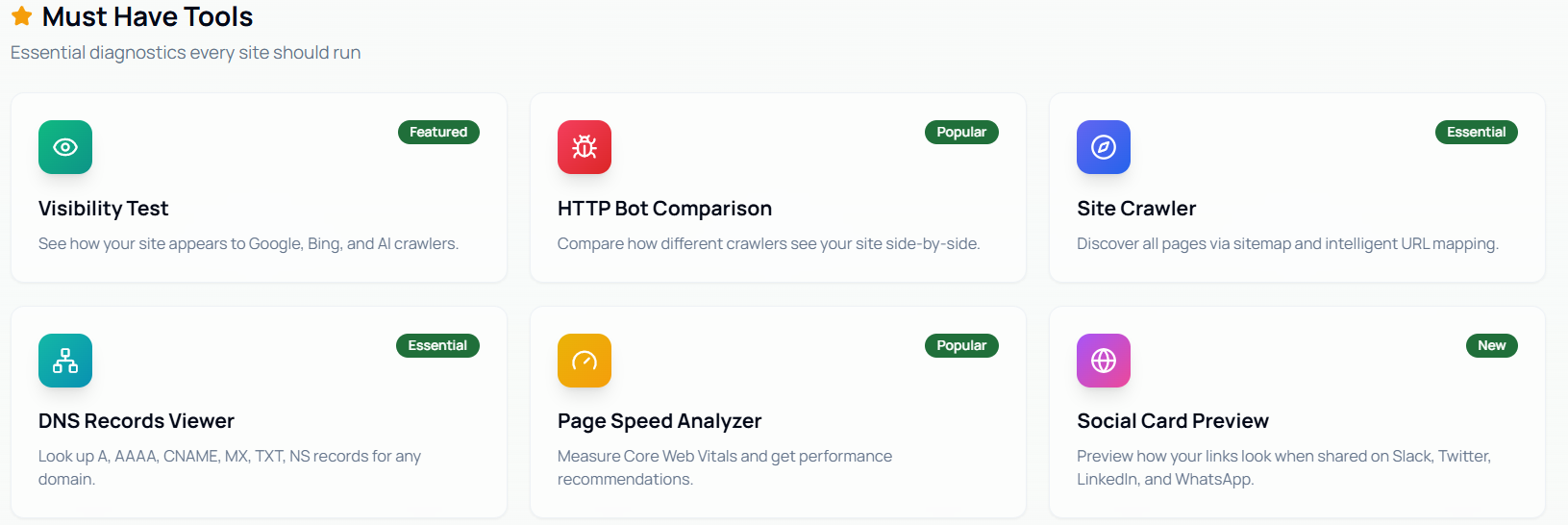
One of the best ways to get started with DataJelly is to use our free SEO tools. These tools are genuinely useful — I run them every day while testing and operating the platform. However, as a customer, they're especially helpful for verifying that DataJelly is doing its job.
My most used tool is the HTTP Bot Comparison tool. This tool lets you enter a URL from your domain and instantly see how different bots perceive your page — comparing raw (no JavaScript) with rendered data, and switching between user agents like Google, ChatGPT, and more. It's the single fastest way to confirm that DataJelly is serving the right content to the right bots.
New Domain Redirect Support
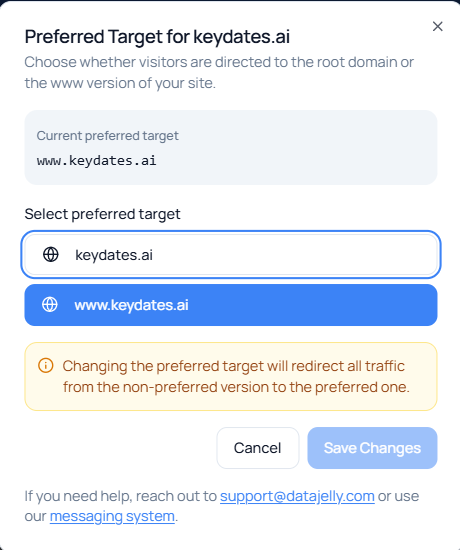
A subtle but important new feature: automatic 308 redirects between your apex domain and www subdomain.
This is a best practice for SEO — Google should see one canonical version of your domain, not two. With this feature enabled, if someone visits example.com they'll automatically be redirected to www.example.com (or vice versa, depending on your primary domain setting).
This is configurable per domain in your dashboard and is off by default. Note: Chrome hides the www. prefix in the address bar, so it might look like nothing is happening. Try it in Firefox or use our HTTP Status Checker tool to confirm the redirect is active.
Simplified DNS Setup Instructions
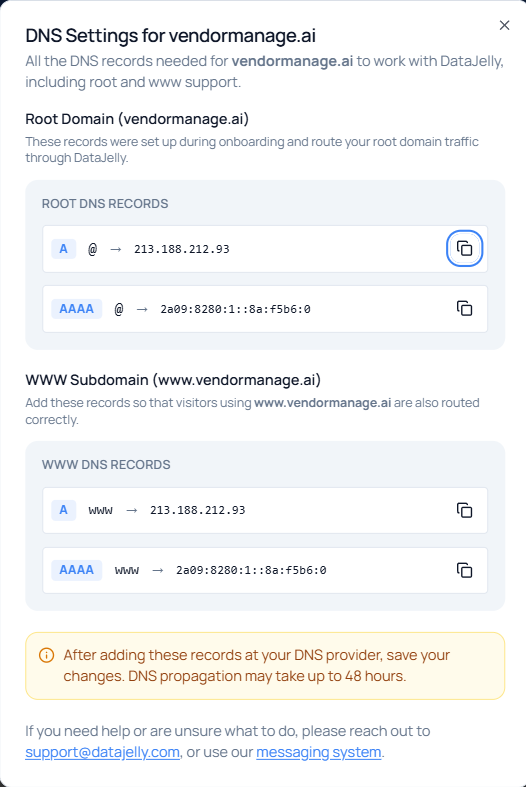
We've overhauled the DNS setup instructions in the dashboard to make onboarding smoother. The new instructions are clearer, more visual, and walk you through each step with specific examples for popular DNS providers.
If you've already set up your domain, no action is needed. But if you're onboarding a new domain (or helping a client), head to your DNS settings page to see the updated flow.
New Search Console Analytics Integration
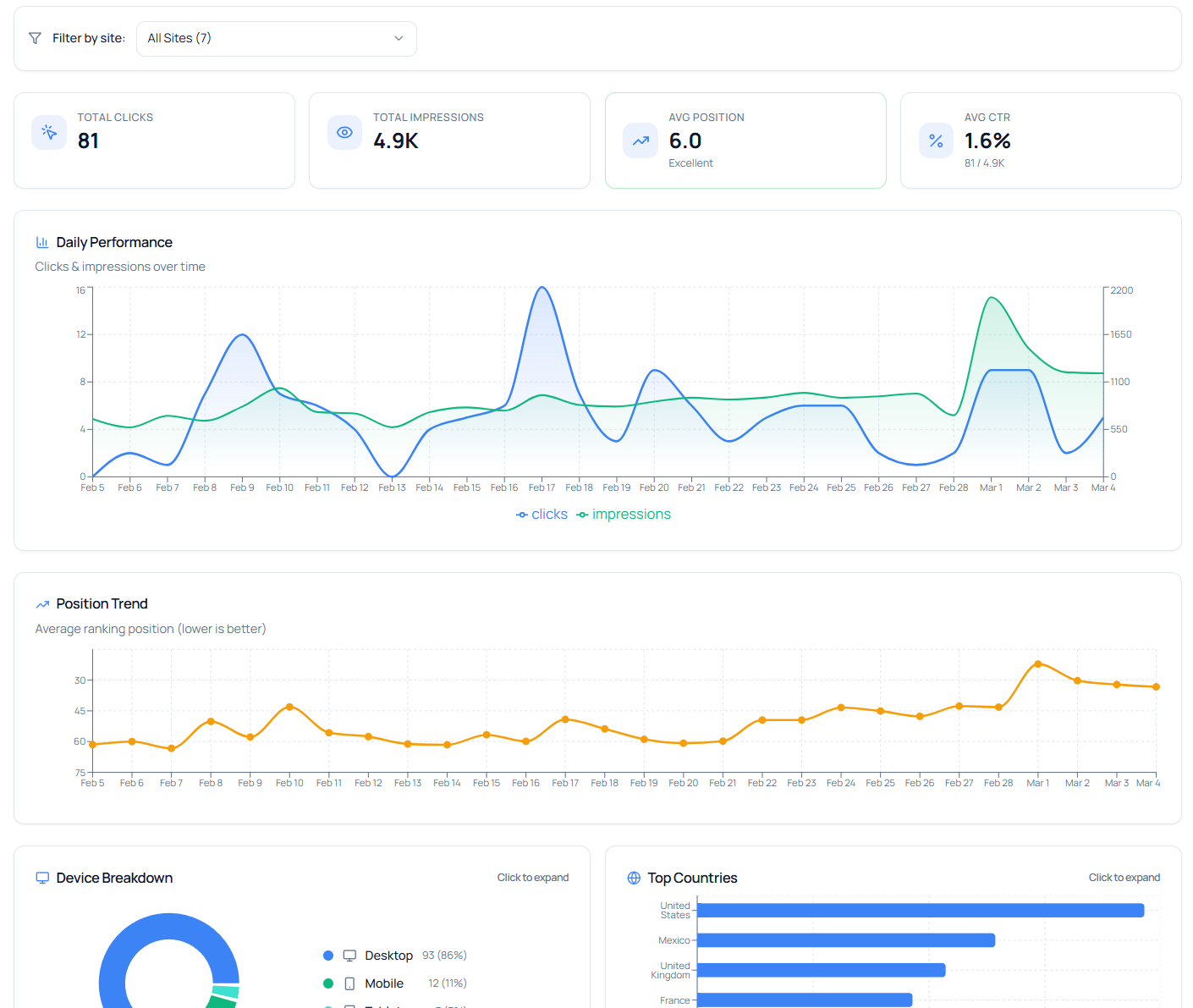
We've added a Google Search Console integration to the Analytics section of the dashboard. If your domain is hosted through DataJelly (i.e., we manage your DNS), you can now see your Search Console performance data — impressions, clicks, CTR, and average position — directly inside the DataJelly dashboard.
This is currently available for DataJelly-hosted domains only. In the future, we plan to map your bot traffic data alongside Search Console metrics so you can see how visibility improvements correlate with real search performance.
New Social Preview Audit Page
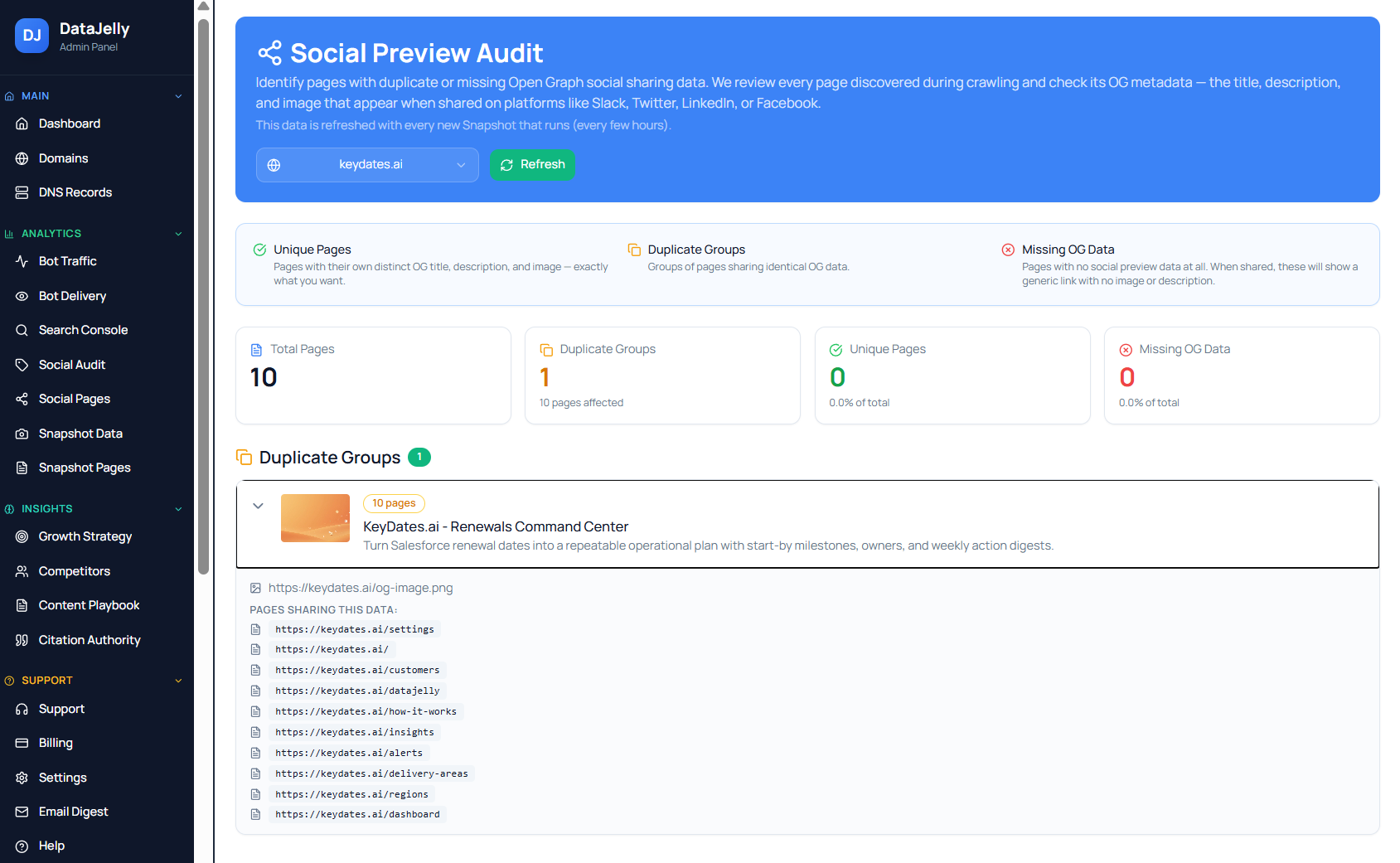
Alongside the social preview feature, we've added a dedicated Social Preview Audit page in the dashboard. This page groups your preview data by unique and common pages, making it easy to check per-page OG data and spot any pages with missing or incorrect metadata.
Think of it as a quick health check for your social link previews across your entire site.
New ?DjSource Debug Parameter
Need to quickly verify what DataJelly is serving for a specific page? Just add ?djsource to any URL on your domain. This triggers the bot response directly in your browser — so you can see exactly what a search engine or AI crawler would receive.
Try it: whymarkdown.com/?djsource
Tell Your Friends
Every day we welcome new domains to the platform but we could always use your help. If you are happy with the service, feel free to invite others to the party. Adding a "Powered by DataJelly" link (pointing at datajelly.com) on your website footer is also a huge help.
— Jeff
Founder, DataJelly
New Social Preview Stabilization
This is a big one. Social platforms (Slack, LinkedIn, X, iMessage) don't execute JavaScript when generating link previews. If your app is a JavaScript SPA, those preview cards often show the wrong title, description, or image — or nothing at all.
Social Preview Stabilization solves this by generating a purpose-built preview HTML document for each route. When a social bot requests your page, DataJelly serves this lightweight document with the correct OG metadata — title, description, and image — extracted from your rendered page.
We also include an OG metadata override tool in the dashboard, so you can customize the preview for any specific page without touching code.
This feature is off by default — you can enable it per domain in your dashboard. For a deep dive, read our full blog post: Fixing Broken Social Previews in Modern SPAs.