Your Store Can Be Up While Checkout Is Broken
A 200 OK does not mean customers can buy. Learn how frontend code, JS failures, third-party scripts, and redirects silently break checkout on Shopify, WooCommerce, and headless stores.
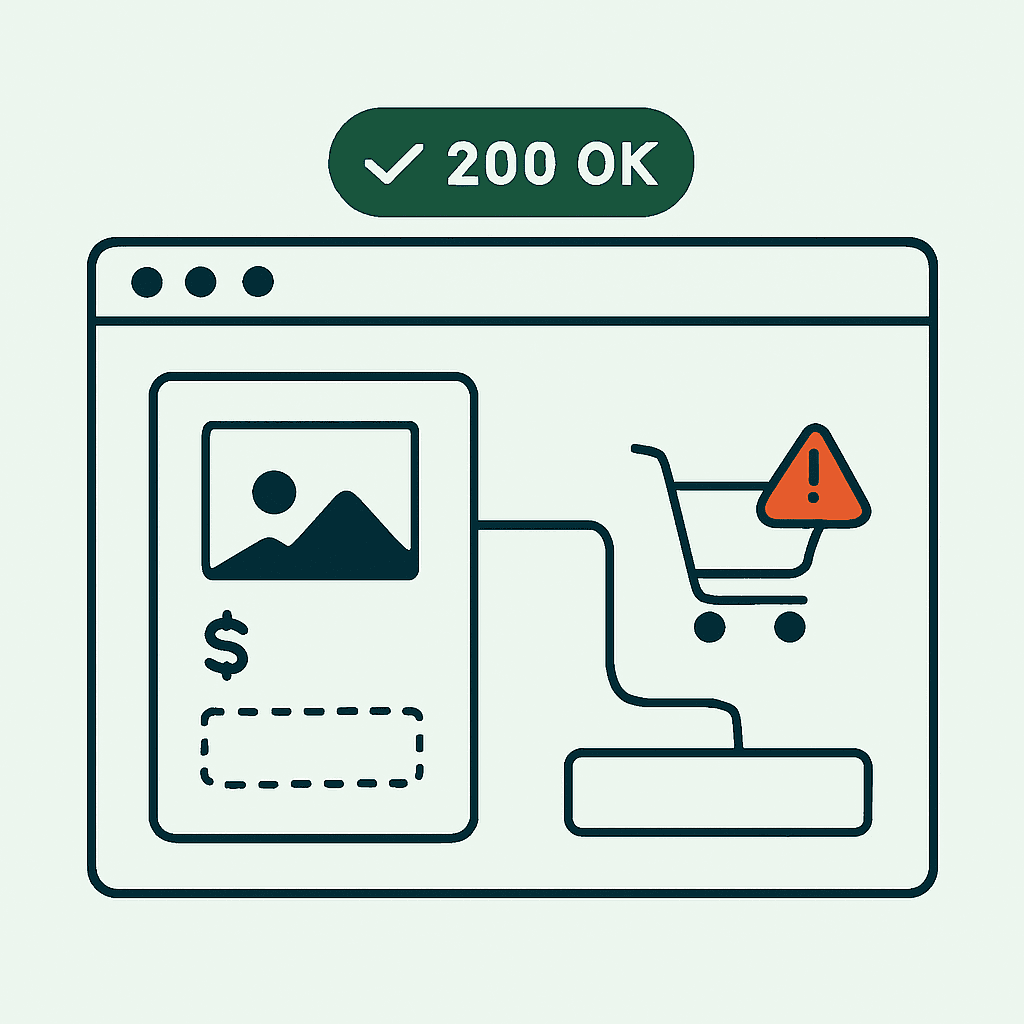
Your dashboard can glow green while revenue bleeds out. A 200 OK does not mean customers can find a product, add it to cart, or reach payment.
Modern ecommerce runs in the browser. It depends on JavaScript, third-party scripts, client-side routing, and brittle DOM assumptions. Silent failures are common: the add-to-cart button disappears, a payment script fails, the cart redirects to the homepage, or a deploy breaks hydration.
This article shows why uptime checks miss those failures, how they happen on Shopify, WooCommerce, headless storefronts, and custom JS-heavy sites, and how to monitor the real buying path. It is a close cousin of the broader problem we cover in 200 OK But Broken: Why Uptime Monitors Miss It, applied specifically to revenue pages.
Why 200 OK Tells You Almost Nothing About Revenue
Uptime monitors ask one narrow question: did the server respond? They do not answer the question that matters: could a customer buy?
Modern stores spread responsibility across the origin, CDN, JavaScript bundles, hydration, and third-party scripts for payments, recommendations, and analytics. A probe that fetches HTML and checks for 200 will miss browser-side failures.
Common blind spots:
- Hydration failures: React, Next.js, and Vue can return shell HTML that looks fine but never becomes interactive.
- Missing CTAs: Add-to-cart buttons rendered by JS or injected by an app can vanish while the page still returns 200.
- Third-party script failures: A payment script that fails to load can disable checkout buttons or payment fields.
- Redirect bugs and route failures: An add-to-cart click can bounce users to the homepage, or a cart route can break after a routing change.
- SEO regressions: title, canonical, or robots tags can change without touching HTTP status.
If revenue is the metric, monitor the browser experience, not just the HTTP layer.
How Checkout Breaks in the Real World
These are common, repeatable failures across Shopify, headless Shopify, WooCommerce, and custom storefronts.
- Missing add-to-cart button
- Cause: A theme update or app script fails after a syntax error or CSP change.
- Symptom: The product page loads, but the buy button is missing or disabled.
- Why uptime misses it: The HTML loads. The button is created or enabled in the browser.
- Checkout entry is unreachable
- Cause: A broken link, bad client-side route, or failed checkout token creation.
- Symptom: Clicking checkout spins forever or redirects to the homepage.
- Why uptime misses it: Hitting /checkout may still return 200 because the server serves a shell.
- Payment provider script fails
- Cause: Network blocking, vendor outage, or a changed script URL. PCI-managed iframes also depend on the parent page mounting the right containers and scripts.
- Symptom: Payment fields never appear. Submit crashes. The button stays disabled.
- Why uptime misses it: The page responds. The checkout flow still dies in the browser.
- Cart redirects to the homepage
- Cause: Bad cart middleware, cookie failures, or a redirect rule change. Some themes redirect when the cart is empty. A bug can make every cart look empty.
- Symptom: Users open the cart and land on the homepage.
- Why uptime misses it: Both URLs return 200. The failure appears only in the session flow.
- A JavaScript deploy breaks rendering
- Cause: A component regression, dependency mismatch, or a polyfill that fails on older browsers.
- Symptom: Blank product grids, missing product details, or console errors that stop rendering.
- Why uptime misses it: The server still delivers HTML. The bundle fails after load. This is the same class of failure described in Deploys Break Pages Your Logging Stack Won't Catch.
Platform Notes and Fast Checks
Shopify (Classic and Online Store 2.0)
- Common failures: app script race conditions, stale theme assets, Liquid changes that remove forms or add-to-cart elements.
- Fast checks: Verify add-to-cart forms exist in the rendered DOM. Confirm Shopify cart endpoints like /cart.js or /cart.json reflect the added item.
Headless Shopify (Hydrogen, Next.js with Storefront API)
- Common failures: broken client-side routing, bad GraphQL responses, missing Storefront API env vars, or blocked script origins.
- Fast checks: Confirm product content renders server-side if SSR is in use. Check browser console and network calls to the Storefront API. Verify checkout token creation succeeds.
WooCommerce
- Common failures: plugin conflicts, broken hooks, REST API changes, or PHP error pages hidden behind 200 responses.
- Fast checks: Test the add-to-cart AJAX endpoint. Confirm cart sessions persist across requests.
Custom JS-heavy stores
- Common failures: one bad build artifact breaking many pages, third-party race conditions, or CSP changes blocking scripts.
- Fast checks: Watch uncaught JS exceptions in production. Check for missing DOM nodes after hydration. Test purchase flows from a cold browser state.
Patterns that help across platforms
- Fail-fast logging: capture console errors, network failures, and render timeouts.
- Feature flags: ship risky changes behind flags and watch the rendered state.
- Script inventory: keep a list of approved payment and third-party scripts. Verify they load at runtime.
What to Monitor in the Browser
To catch silent failures, run checks in a real browser and reproduce the buying path.
- Element presence and visibility
- Check that add-to-cart, variant selectors, price, and SKU are visible.
- Confirm checkout buttons and payment containers exist and are enabled.
- DOM and content integrity
- Title and H1 exist and match expectations.
- Product images load.
- Prices use the right format and currency.
- Console and network failures
- Track uncaught exceptions and 4xx/5xx failures for scripts and APIs.
- Watch for CSP blocks and blocked third-party script loads.
- Redirects and final URL
- Verify that cart and checkout clicks land on the intended URL, not the homepage or a dead route.
- Script inventory changes
- Capture the scripts loaded on the page and their fingerprints. Alert when one disappears or a new one shows up.
- Visual evidence
- Save screenshots of the product section, cart area, and payment UI.
- Transaction path checks
- Add a low-value item with a test payment method as far as you safely can without creating a real charge, or stop when the payment UI appears.
These checks cut false positives because they measure the rendered experience, not raw status codes.
Your site returns 200 OK — but is it actually working?
Guard is the monitoring technology that catches the silent failures other tools miss. KeyPages.ai is where you turn it on. Audit any URL free first — no signup, results in 30 seconds.
Run a free page auditA Minimal Puppeteer Check for the Buying Path
A headless browser check beats a plain HTTP probe. This example is conceptual, not production-ready, but it shows the right assertions:
const puppeteer = require('puppeteer');
(async () => {
  const browser = await puppeteer.launch();
  const page = await browser.newPage();
  page.setDefaultNavigationTimeout(30000);

  await page.goto('https://example-store.com/product/widget');

  // Wait for product title and price
  await page.waitForSelector('h1.product-title', { timeout: 5000 });
  const price = await page.$eval('.product-price', el => el.textContent.trim());

  // Ensure add-to-cart button exists and is visible
  const addToCartVisible = await page.$eval('button.add-to-cart', el => {
    const style = window.getComputedStyle(el);
    return style && style.display !== 'none' && !el.disabled;
  });

  // Click add to cart and confirm cart has item
  if (addToCartVisible) {
    await page.click('button.add-to-cart');
    await page.waitForResponse(resp => resp.url().includes('/cart') && resp.status() === 200, { timeout: 5000 });
    const cartCount = await page.$eval('.cart-count', el => parseInt(el.textContent, 10));
    console.log('cartCount', cartCount);
  }

  // Click checkout and confirm payment frame or provider script loaded
  await page.click('a.checkout-button');
  await page.waitForNavigation();
  const finalUrl = page.url();
  const paymentFrameExists = await page.$('iframe[name="__privateStripeFrame"]') !== null;

  console.log({ price, addToCartVisible, finalUrl, paymentFrameExists });
  await browser.close();
})();
This check validates rendered elements, clicks through the flow, waits on network responses, and verifies payment UI. Production checks should add screenshots, DOM dumps, console logs, retries, and multiple browsers and regions.
Automate Checks Without Crossing PCI Lines
A few rules matter:
- Do not run real payment transactions in monitoring. Use test modes or stop once the payment UI mounts.
- Respect robots rules and rate limits. Do not let checks distort traffic or analytics.
- For sensitive checkout pages, capture DOM structure and class names, but never store full cardholder data. Screenshots and DOM snapshots can support evidence collection if they avoid PII.
Capture this data for debugging and review:
- Screenshot of the checkout entry area or payment iframe container.
- Rendered HTML for key fragments like the product section and cart container.
- Console and network failures for third-party scripts.
- Final URL and redirect chain.
This helps incident triage and supports evidence collection. If your checkout pages are in PCI scope, the same browser-rendered evidence overlaps with what we describe in Why PCI DSS Now Tracks JavaScript on Payment Pages. Review payment and compliance questions with your QSA, acquirer, or compliance-accepting entity.
Browser Monitoring Checklist for Every Store
Monitor these pages and behaviors with browser-rendered checks. Save visual and DOM evidence. Do not stop at HTTP status.
Pages to monitor:
- Product page: title, price, at least one image, add-to-cart present and enabled, variant selectors work.
- Collection page: product grid renders, pagination or infinite scroll loads more items, product links open product pages.
- Cart page: added items persist, totals calculate, checkout button is present and enabled.
- Checkout entry page: checkout starts, payment provider or hosted checkout loads, final URL is reachable.
- Pricing or promo page: prices and promo copy are visible, discounts apply when advertised.
- Search results page: results render, query stays in the UI, filters work.
Behavioral checks:
- Add-to-cart flow: add a test SKU, validate cart count, confirm the cart JSON endpoint returns the item.
- Checkout entry flow: click checkout and verify the payment provider script or hosted checkout appears.
- Third-party script health: check payment, recommendation, and analytics scripts load without errors.
- Visual diffs: compare screenshots and alert on large regressions in critical areas.
Schedule and scope:
- Critical pages: every 1–5 minutes on high-traffic stores.
- Secondary pages: every 15–60 minutes.
- Run checks from customer-heavy regions and across multiple viewport sizes.
Alert fast: if the CTA disappears or checkout UI fails to load, notify engineering and ops with screenshots and DOM evidence.
When an Alert Fires, Ask These Questions First
Move fast when a check fails:
- Reproduce it in a browser. Look at console errors and the network waterfall.
- Check recent JS or theme deploys. Roll back if needed.
- Check third-party hosts, CDNs, and payment provider status pages.
- Check CSP changes, ad blocker interactions, and SameSite cookie behavior.
- Check redirects, CDN rules, and reverse proxy config.
Common fixes:
- Revert a bad deploy or disable a broken app script.
- Pin a third-party script to a known-good URL or disable optional features.
- Patch CSP and allowlist required script origins.
- Restore a missing HTML fragment in the theme or component.
Tools That Help
Synthetic browser checks are the baseline. Add:
- Real user monitoring (RUM) to capture customer-side failures, with sane sampling and privacy controls.
- Sentry or similar JS error tracking for uncaught exceptions.
- Network and script inventory reports to catch new or changed third-party code.
No single tool covers the whole path. You need browser-rendered evidence, screenshots, and DOM dumps to triage fast. DataJelly Guard runs these rendered checks on your real product, cart, and checkout-entry pages and captures that evidence automatically — you can audit any store URL for free to see what a customer actually gets.
Action Plan
If you only monitor 200 OK, widen the scope. Start with the paths that make money. Run them in a real browser. Capture screenshots, console logs, network failures, and final URLs. Use DOM assertions and visual diffs to catch missing CTAs and broken checkout states.
DataJelly Guard helps teams detect silent revenue-page failures and collect browser-rendered evidence like screenshots, rendered HTML, and console or resource errors. It does not replace QA. It helps teams see what a customer actually saw when the funnel broke.
Copyable checklist:
- Product page: title, price, image, add-to-cart
- Collection page: product grid loads, links work
- Cart page: item persists, checkout entry visible
- Checkout entry: payment UI or hosted checkout appears
- Pricing or promo page: discounts and prices visible
- Search page: results render, filters work
Start with one browser check for your top product page and cart path. Then expand across the funnel.
If you care about revenue, monitor the product-to-checkout path in a real browser. Capture screenshots, final URLs, and console failures the moment add-to-cart or payment UI breaks.
Your site returns 200 OK — but is it actually working?
Guard is the monitoring technology that catches the silent failures other tools miss. KeyPages.ai is where you turn it on. Audit any URL free first — no signup, results in 30 seconds.
Run a free page audit