Google Search Console + Guard: Turning Search Data Into Quality Signals
Search Console tells you what happened in Google Search. Guard helps explain whether the pages receiving, losing, or missing that traffic are technically healthy enough to deserve it.
A page can have impressions and still be broken. A page can have a good average position and still lose clicks because its title changed. Connecting Search Console to Guard gives you a better operating view: search demand on one side, page quality on the other.
What Search Console measures
Performance data is built around four core ideas. The numbers are useful, but they will not tell you that your React app shipped an empty shell or that a canonical tag changed after deploy.
| Metric | Plain-English meaning | How to use it in Guard |
|---|---|---|
| Clicks | Users clicked from Google Search to your site. | Prioritize pages that already have traffic. |
| Impressions | Your site appeared in Google Search results. | Find pages with demand, even if nobody clicked. |
| CTR | Clicks divided by impressions. | Spot title, snippet, or intent mismatches. |
| Average position | Average position of the topmost result for the page. | Understand whether a page is near visibility or buried. |
What DataJelly adds
Guard joins Search Console data with monitored production page health to create a search-impact view instead of a generic analytics table.
- Start with the pages Guard is already watching.
- Add Search Console clicks, impressions, CTR, position, and query data.
- Show active Guard warnings, failures, and alerts next to search demand.
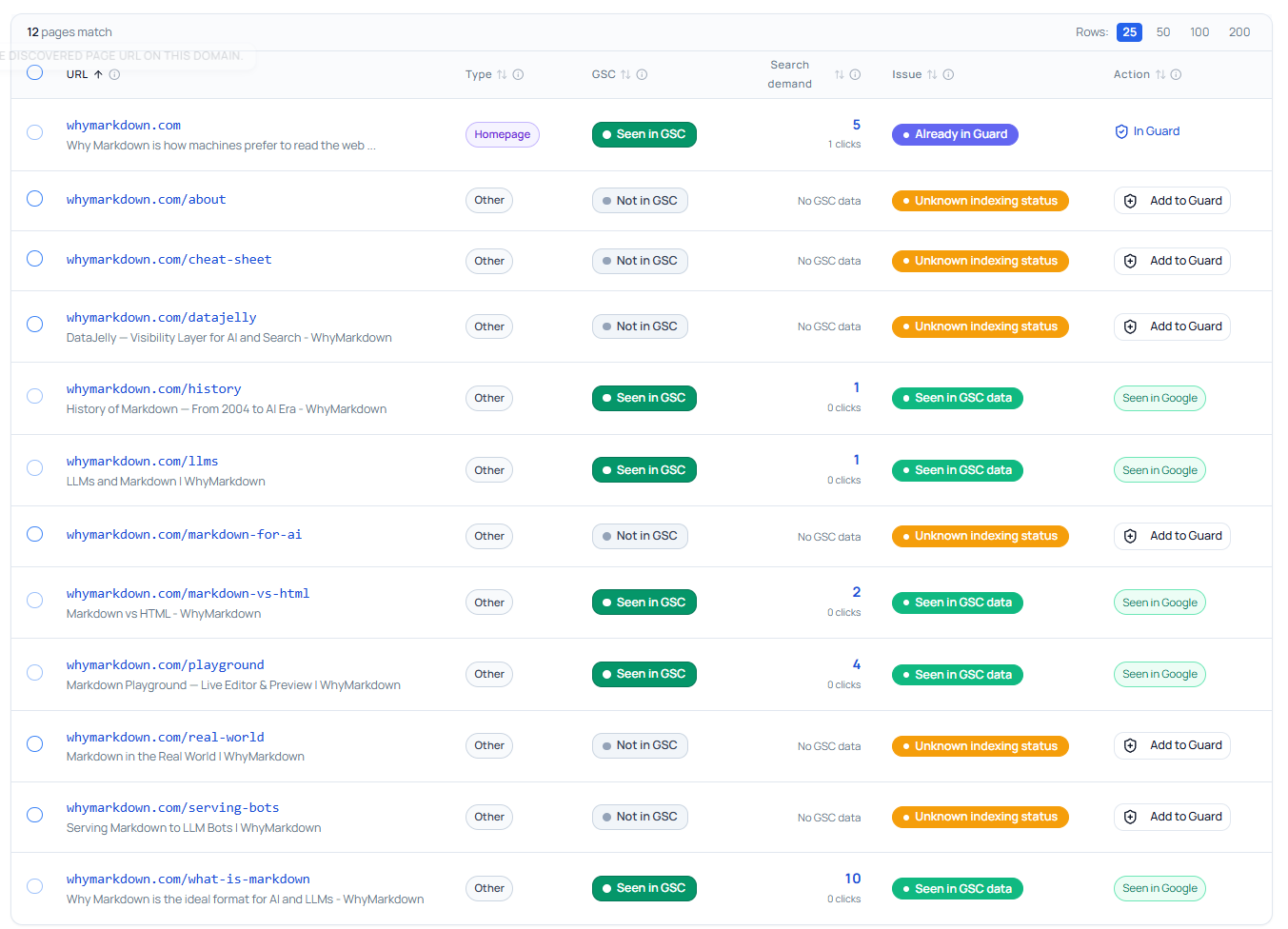
- Surface unmonitored Search Console pages that already get impressions or clicks.
- Recommend the next action: fix the page, add it to Guard, improve CTR, or watch the trend.
The most useful views
Search-visible Guard issues
Monitored pages with impressions or clicks that also have Guard warnings, failures, or active alerts. Review these first — a technical issue is attached to a page Google already knows about.
Look at: A page with impressions now has a noindex signal., A previously healthy page has a major text drop., A high-value landing page has a broken canonical., A page with clicks has new JavaScript or resource errors..
Unmonitored search opportunities
Pages Google sees in Search Console that Guard is not monitoring yet. Common when a blog post starts ranking or a generated route becomes discoverable.
Look at: A blog post starts getting impressions., A generated route becomes discoverable., A guide or landing page launched outside the original Guard setup., Old pages still receive clicks..
Healthy pages with weak CTR
Guard says the page is technically healthy, but Search Console shows high impressions and low CTR. The problem is likely presentation, not rendering.
Look at: Page title, Meta description, Search intent match, Rich result eligibility and internal links.
Visibility changes near Guard events
A search decline is easier to reason about beside page health events. Correlation is not proof, but it is where investigation should start.
Look at: Impressions dropped after a deploy., Clicks dropped after a title changed., Position moved as responses got slower., A Guard alert appeared before a trend moved..
How to read top queries
Queries explain the intent Google associates with a page. Guard does not replace content strategy — it helps make sure the page carrying that strategy is not technically broken.
- Is the page visible for the topics we actually care about?
- Are users finding this page for the wrong reason?
- Are impressions growing before clicks grow?
- Does the page need a better title, heading structure, or deeper content?
- Should a high-impression query become its own dedicated page?
The DataJelly angle
Search Console tells you where Google is giving you a chance. Guard tells you whether your production page is ready for that chance. That is especially important for JavaScript-heavy apps, AI-builder sites, and fast-moving marketing pages where deploys can silently change crawler-visible output.
Connect search demand to page health
Map clicks, impressions, queries, and ranking changes to the pages Guard is monitoring — and find the search-visible pages that are not monitored yet.
Frequently asked questions
Does connecting Search Console let DataJelly change my rankings?
No. Search Console data helps DataJelly analyze visibility and demand. It does not let DataJelly directly change rankings.
Why does DataJelly show a Search Console page that is not in Guard?
Because Google has seen the page, but Guard is not monitoring it yet. If the page matters, add it to Guard.
Why does a page have impressions but no clicks?
The page may rank too low, the title or snippet may not match intent, another result may be more compelling, or the query may not be a strong fit.
Is Search Console data real time?
No. Search Console data can be delayed and the newest data may be preliminary. Treat it as directional, not as a live uptime signal.
Keep reading
Guard Test Catalog
The full searchable reference of every test, with severity and how-to-fix guidance.
Index Monitor
Decide which discovered pages deserve ongoing monitoring.
Guard Test Suite
The production checks behind every page health signal.
Lighthouse Monitoring
Pair search trends with page quality scores.
Search Console Growth Guide
Find striking-distance keywords and build a growth workflow.