Production Page Monitoring: Catch Missing Content, Broken CTAs, Metadata Issues, and Silent Page Breaks
Your site can return 200 OK on every page and still be quietly broken. Production page monitoring checks what users and crawlers actually receive — the rendered content, the conversion path, and the metadata — after every deploy.
This guide is framework-agnostic: it applies whether you ship React, Vue, Next.js, a static generator, or a no-code builder. For the rendering-specific deep dive on hydration and client-side failures, pair this with JavaScript production monitoring. To verify a single page by hand, use how to test what Google sees.
What production page monitoring actually means
Production page monitoring is the practice of continuously validating the rendered output of your live pages — not the build, not the server, and not a status code. It answers a different question than the tools most teams already run. Uptime asks “did the URL respond?” APM asks “did the backend throw?” CI asks “did the build pass?” Production page monitoring asks the only question that maps to revenue and visibility: does the page still deliver the content, conversion path, and signals it is supposed to?
That distinction matters because the failure surface for modern sites moved into the browser. The document can arrive perfectly while the experience assembled on top of it falls apart — and none of the traditional layers are watching that.
Why a 200 OK tells you almost nothing
An HTTP 200 means the server handed over a document. It says nothing about whether the bundle executed, whether hydration succeeded, whether the API returned data, or whether a metadata change shipped by accident. The most damaging production failures live entirely inside that gap — and they stay hidden because the people best positioned to report them rarely do. Industry analyses of site bugs put the share of users who never report a problem at roughly 96%; they simply leave. A broken page therefore tends to surface days later as “traffic is down” or “conversions dropped,” long after the deploy that caused it.
| Monitor | What it confirms | What it misses |
|---|---|---|
| Uptime / ping | URL is reachable, status code | Blank render, missing content, dead CTAs |
| APM / server logs | Backend exceptions and latency | Client-side and rendered-output failures |
| CI / CD checks | Build and deploy succeeded | What the production route actually outputs |
| Analytics | Aggregate traffic and events | Which page broke, and that it broke at all |
| Periodic SEO crawl | A snapshot every few days/weeks | Deploy-time regressions in real time |
| Production page monitoring | Rendered content, CTAs, metadata, speed | (complements infrastructure monitoring) |
The core idea
Transport success is not page success. Every layer above confirms the request completed — none of them confirm the page still works for a human or a crawler.
Deploys are the main risk window
Page-output regressions are not rare edge cases; they are a normal byproduct of shipping. Google’s DORA research tracks change failure rate — the share of deploys that require a fix, rollback, or hotfix. Only about 8.5% of teams reach the elite band of a 0–2% failure rate. The largest cluster of teams sits at 8–16%, and nearly 40% run above 16%. In practical terms, if you deploy frequently, something will eventually ship broken — the only variable is how fast you catch it.
That is why production page monitoring is tied to the deploy, not to a fixed weekly crawl. The moment of highest risk is right after a release, when a routing change, metadata edit, new third-party script, SSR change, or CMS publish can silently alter what the page outputs.
The four failure classes worth monitoring
Nearly every silent production failure falls into one of four classes. Naming them makes monitoring tractable: each class has its own signals, its own thresholds, and its own business cost.
Missing content
The page loads, but the substance that makes it useful is gone.
Looks like: Blank render with a 200 status, Empty root element / script-shell output, Pricing cards or product grid absent, H1 or main copy removed, Visible text collapses after a CMS or API change.
Broken CTAs
The conversion path is visible but no longer works — the most directly expensive failure.
Looks like: Signup or checkout button missing, Submit handler throws on click, Stripe / auth / booking widget fails to load, Form renders but never submits, Link points to a dead or wrong route.
Metadata issues
Crawler-facing signals change quietly and reshape how search and AI systems treat the page.
Looks like: Accidental noindex shipped from staging config, Canonical removed or pointed at the wrong URL, Title or meta description dropped, Open Graph / Twitter tags removed, Structured data invalid or missing.
Silent page breaks
Regressions that produce no error, no alert, and no log line — just worse numbers.
Looks like: Hydration crash after first paint, Critical JS/CSS bundle 404 after a cache mismatch, Third-party script blocks render, Performance regression past usable thresholds, DOM or text shape changes without a thrown error.
Missing content: the page loads, the substance is gone
This is the failure that uptime monitoring is structurally blind to. The route returns 200, the shell paints, and a synthetic check marks it green — but the part that makes the page worth visiting never renders. It shows up as a blank screen, an empty root element, a pricing section that vanished, or a body whose visible text collapsed from thousands of characters to a few hundred.
The detection signal is content volume relative to a baseline, not presence of a response. A page that normally renders 3,000+ characters of visible text and suddenly renders under 200 is broken, even though every byte was delivered with a 200 status.
Healthy baseline
- Visible text ~3,400 chars
- H1 present
- Pricing cards present
- DOM ~1,800 nodes
- Main content block rendered
After a bad deploy
- Visible text ~180 chars
- H1 missing
- Pricing cards absent
- DOM ~210 nodes
- Empty content grid
Broken CTAs: the failure that costs money directly
A broken call to action is the most financially direct failure of the four, because it severs the conversion path while the rest of the page looks fine. The button renders, so a glance at the page reveals nothing — but the click does nothing, the form never submits, or the payment widget never loads. For an affected session, a broken checkout is effectively a 100% revenue loss.
The cost compounds fast because it runs silently. A useful way to size it is a simple per-hour model:
Revenue-at-risk model
Revenue loss = Affected sessions × Baseline conversion rate × Average order value × Impact severity
For a total checkout outage the impact severity is roughly 0.9. A store with 1,000 sessions/hour, a 3% conversion rate, and a $70 average order value loses on the order of $1,890 per hour while the CTA is down. Analyses of checkout defects have found that even minor bugs can put up to 18% of total company revenue at risk.
Monitoring a CTA means more than confirming the element exists in the DOM. It means asserting the required selector is present, the handler is wired, and the third-party dependencies the action relies on (payment, auth, booking) actually loaded.
Metadata issues: the failures search engines see first
Metadata regressions are uniquely dangerous because the users who would complain never see them — only crawlers do. A front-end release can change the tags that govern indexing and consolidation without altering a single visible pixel. The classic example is an accidental noindex: a staging configuration that restricts indexing gets promoted to production, Googlebot honors the directive, and organic traffic drops sharply within days. Recovery is not instant — even after the tag is removed and reindexing is requested, returning to pre-incident levels typically takes weeks.
| Metadata signal | What goes wrong | Consequence |
|---|---|---|
| Robots / noindex | Staging noindex ships to production | Pages drop out of the index |
| Canonical | Removed or points to the wrong URL/host | Ranking signals consolidate to the wrong page |
| Title / description | Dropped or templated to a generic value | Lost snippets and CTR in search |
| Open Graph / Twitter | Tags removed in a refactor | Broken social and chat link previews |
| Structured data | Becomes invalid or disappears | Lost rich results and weaker AI context |
For a deeper walkthrough of verifying these signals on a single page, see how to test what Google sees and the static file monitoring guide for sitemap and robots coverage.
Silent page breaks: the deploy that ‘worked’
The fourth class is the catch-all for regressions that throw no error anyone is watching. Hydration crashes after first paint. A hashed bundle 404s because a cache layer is out of sync. A new analytics or chat script blocks rendering. The DOM shape shifts because an API field changed. None of these necessarily produce a server exception or a failed deploy — they just quietly degrade the page.
Performance regressions belong here too, because past a threshold a slow page is a broken page. The relationship between load speed and outcomes is steep and well documented: compared to a 1.5s Largest Contentful Paint, pages in the 2.5–4.0s range see roughly 37% fewer conversions, and pages above 6s see drops near 82%. Moving load time from 1s to 3s raises bounce probability by about 32%, and the rule of thumb that every additional second costs ~7% of conversions still holds up across studies.
Why these stay silent
- Client-side runtime errors do not always reach backend logs.
- Users bounce instead of filing tickets, so support never hears about it.
- Site-wide dashboards average a single broken route into healthy global numbers.
- Analytics events can still fire even while the core flow is broken.
- Crawlers can fetch the broken version before any human notices.
How to detect each failure class
Detection is the same discipline in every case: capture what the page outputs, compare it to a known-good baseline, and alert only on a meaningful change. The specific signals differ by class.
| Failure class | Primary detection method | Failure threshold |
|---|---|---|
| Missing content | Rendered visible-text + DOM size vs baseline | <200 chars, or >40% text / >50% DOM drop |
| Broken CTAs | Required-selector + handler + dependency checks | Selector missing or third-party load fails |
| Metadata issues | Diff canonical / robots / title / OG / schema | Any unexpected change vs expected value |
| Silent breaks | Console + resource-error + performance checks | New fatal error, critical 404, LCP >4s |
Practitioners describe the toolkit for this as content fingerprinting (hash the rendered body to spot unexpected changes), asset validation (confirm referenced scripts and styles return 200), semantic or contract checks (validate the shape of the content, not just its arrival), and visual regression (compare a screenshot against a known-good frame). Production page monitoring is simply running these continuously against your live, important pages.
Set baselines and diff every deploy
A single pass/fail check has no memory, and most of these failures are only visible as a change. The page that renders 180 characters today is only obviously broken if you know it rendered 3,400 yesterday. Effective monitoring stores a baseline per page — HTML size, rendered text, DOM size, a screenshot, the metadata values, resource health, and performance — and compares each new render against it.
- Before deploy: capture the known-good baseline for each critical page and record the required selectors and expected metadata.
- Right after deploy: re-render the page, diff content, DOM, metadata, console/resource errors, and performance against the baseline.
- Continuously after: keep scanning on a schedule, alert only on meaningful regressions, and track repeats so flaky issues are visible.
Which pages to monitor first
Do not try to monitor every route on day one. Coverage should follow business and search value, so a regression on a page that matters is caught immediately while low-value routes wait.
Monitor first
- Homepage
- Pricing
- Signup
- Checkout
- Top product pages
- Highest-traffic landing pages
- Top SEO articles
Monitor next
- Docs
- Feature pages
- Comparison pages
- Case studies
- Category / hub pages
Usually skip
- Authenticated dashboard
- Account settings
- Thank-you pages
- Admin-only routes
For the reasoning behind treating individual pages — not the domain — as the unit of monitoring, see how DataJelly decides which URLs deserve monitoring.
Build a production page monitoring program
Tools matter less than the loop. A durable program looks the same regardless of which monitor you use:
- Pick the pages that lose money or visibility when broken.
- Define what 'healthy' means per page: required content, selectors, metadata, and performance budget.
- Capture a baseline and re-check on every deploy plus a recurring schedule.
- Alert only on meaningful regressions, and attach evidence to every alert.
- Triage by severity and business impact, fix, and confirm the page returns to baseline.
- Expand coverage outward from the critical core.
Alerts need evidence, not just a red badge
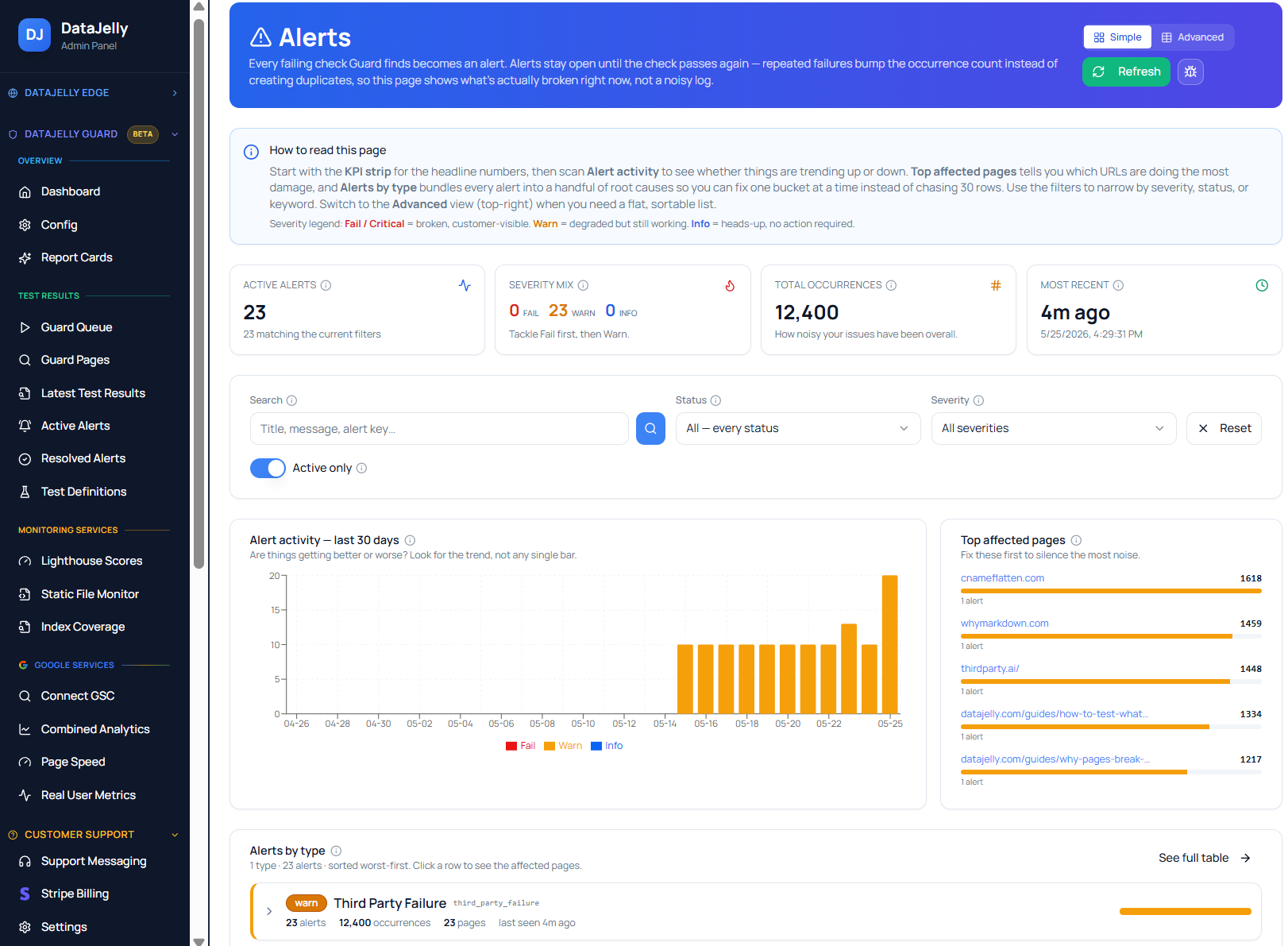
An alert without proof creates work; an alert with proof creates action. Every regression alert should carry the URL, timestamp, a screenshot, the before/after diff, the failing checks, severity, the affected selector, and the relevant console/resource or performance data.
How DataJelly Guard handles this
DataJelly Guard is production page monitoring built around exactly these four failure classes. You add the pages that matter, and Guard renders them in a real browser on a schedule and after deploys, captures a snapshot and test evidence, compares the current output against the prior known-good output, and alerts when content, CTAs, metadata, or performance regress.
- Missing content: visible-text and DOM-drop checks against each page’s baseline.
- Broken CTAs: required-selector and critical-dependency checks on conversion paths.
- Metadata issues: canonical, noindex, title, Open Graph, and structured-data diffs.
- Silent breaks: console errors, resource failures, and performance/Core Web Vitals regressions.
For the full list of individual checks across these categories, see the Guard test suite and the searchable Guard Test Catalog.
Put your revenue and visibility pages under monitoring
Start with the handful of pages that cost you money or rankings when they break. Guard renders them in a real browser, diffs every deploy against a known-good baseline, and alerts you with evidence when content, CTAs, metadata, or performance regress.
Frequently asked questions
What is production page monitoring?
Production page monitoring continuously checks the real, rendered output of your live pages — the visible content, conversion paths, and crawler-facing metadata — instead of only confirming the server returns a status code. It is designed to catch failures that happen after transport succeeds.
How is it different from uptime monitoring?
Uptime monitoring confirms a URL is reachable and usually stops at the HTTP status code. Production page monitoring confirms the page still does its job: content rendered, CTAs work, metadata is intact, and performance is acceptable. A page can return HTTP 200 and still be completely broken.
Why can a page return 200 OK but be broken?
A 200 response only means the document was delivered. The bundle can fail to execute, hydration can crash, an API can return empty data, a feature flag can hide a section, or a metadata change can ship by accident — all while the status code stays green.
How fast should these failures be caught?
As close to deploy time as possible. Because roughly 96% of users never report a bug and instead just leave, a silent page break can run for hours or days before anyone notices it in revenue or ranking data. Monitoring critical pages on every deploy collapses that detection gap.
Which pages should I monitor first?
Start with pages that lose money or visibility when broken: homepage, pricing, signup, checkout, top product pages, and your highest-traffic SEO landing pages and articles. Expand coverage from there rather than trying to monitor every route on day one.
Does production page monitoring replace QA or APM?
No. It complements them. QA validates behavior before release, APM watches backend errors and latency, and production page monitoring watches the rendered front-end output of live pages after deploy — the layer most stacks leave uncovered.
Keep reading
JavaScript Production Monitoring
The rendering-specific deep dive: blank pages, hydration crashes, and DOM drops.
Guard Test Suite: What We Monitor
Every production check Guard runs across the six monitoring categories.
Guard Test Catalog
The full searchable reference of every test, with severity and how-to-fix guidance.
How to Test What Google Sees
Manually verify rendered content, metadata, and indexability on a single page.
Static File Monitoring
Watch sitemap.xml, robots.txt, and AI visibility files for silent failures.
Lighthouse Monitoring
Track page quality and Core Web Vitals over time without chasing noise.