What Ecommerce Pages to Monitor Beyond the Homepage
A tactical guide for ecommerce teams: which revenue pages to monitor, what breaks silently, and which signals matter on each page type.
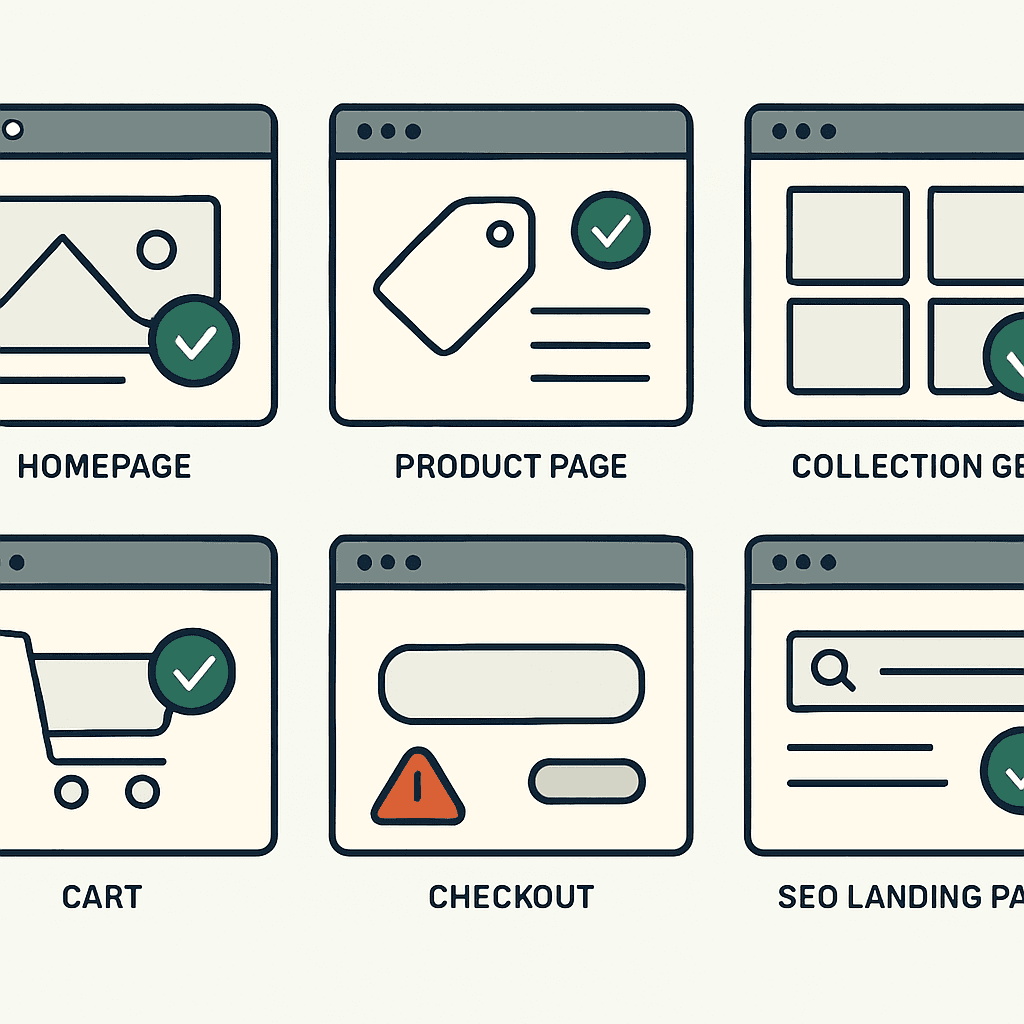
The homepage matters. It is not where most revenue disappears. A 200 OK will not catch missing prices, dead add-to-cart buttons, or an accidental noindex tag. This guide maps the commerce pages every merchant and agency should watch, the silent failures that hit each one, and the checks to run. The goal is simple: collect browser-rendered evidence so you know customers can buy, not just that a server responded.
Which pages to monitor and why
Monitor pages tied to intent, conversion, and search traffic. If a page gets heavy traffic, sits in the purchase path, or ranks in search, a silent regression can cut revenue fast. At minimum, monitor the homepage, product pages, collection pages, cart, checkout entry pages, pricing and promo pages, search results, login and account pages, and key SEO landing pages. Each page fails in different ways. Each needs different checks.
Homepage: useful, not sufficient
What breaks silently: hero images fail, third-party scripts block JS, featured product modules render blank, promo banners link to dead pages, canonical or noindex tags change after a deploy, or hydration fails and leaves an empty shell.
Signals to monitor:
- Screenshot compared with a baseline via pixel diff or DOM diff.
- Title and H1 presence and reasonable length.
- Critical DOM landmarks present: hero, featured products, promo modules.
- Console and resource errors: JS exceptions, failed script loads, CSP violations.
- Visible text length and word count to catch blank renders.
Example: a CDN change made homepage CSS 404 for anonymous users. The DOM still contained content, but the page looked blank. A screenshot plus visible-text checks would have caught it. This is the same pattern covered in 200 OK but broken: why uptime monitors miss it.
Product pages: where revenue leaks first
Why they matter: product pages convert. Small regressions here cut sales directly.
What breaks silently:
- Missing product title or H1.
- Price missing, showing "—", or showing an impossible price from a currency bug.
- Primary image absent.
- Add-to-cart button missing, disabled, or dead because JS failed.
- Variant selector broken by bad IDs or disabled options.
- Product schema removed or malformed.
- Accidental noindex or a canonical tag pointing to another product.
Signals to monitor:
- Title and H1 match the expected pattern, such as product name and SKU.
- Price exists and matches a numeric pattern: currency symbol plus digits. Catch empty strings.
- Primary image URL returns 200 and has sane dimensions, not a 1x1 placeholder.
- Add-to-cart button exists, is visible, and on click triggers a network request with the expected payload or changes cart state. On JS-heavy stores, detect the cart-insert XHR or fetch.
- Variant selector exists, and selecting a variant updates price or image in the DOM or via XHR.
- Product JSON-LD exists and contains name, price, currency, and availability.
- Robots meta and canonical tags are present and sane.
Example check: capture a screenshot and rendered HTML, then assert title present, price matches a regex, at least one <img> has alt text, button text matches /(add to cart|buy now)/i, and JSON-LD contains "@type": "Product". For a deeper look at what the add-to-cart check involves, see the add-to-cart button is the real uptime check.
Quick snippet (pseudo-check):
// Evaluate in page
document.querySelector('.price')?.innerText.match(/\d/)
document.querySelector('button.add-to-cart') && button.offsetParent !== null
JSON.parse(document.querySelector('script[type="application/ld+json"]').innerText) // assert @type == 'Product'
If any of these fail, that product page is at risk.
Collection pages: discovery breaks here
What breaks silently:
- Product grids fail to render because of API changes or JS errors.
- Filters and sorting stop working.
- Pagination creates duplicate content or bad canonical tags.
- Product cards lose images, titles, or prices.
- Noindex lands on a high-traffic category page.
Signals to monitor:
- Product card count stays within an expected range for a canonical category page.
- Each visible card has an image, title, and price.
- Filter UI exists and responds with a URL change or DOM update.
- Canonical and robots checks on paginated pages, plus
rel="next/prev"where used.
Example: an A/B test swapped the main grid for a module visible only to logged-in users. Anonymous users saw an empty page. A minimum product-card check — such as >= 8 — would have flagged it fast.
Cart page: the single point of failure
What breaks silently:
- Cart container never renders.
- Totals stay at zero.
- Checkout button goes missing, stays disabled, or redirects to the wrong place.
- Line items lose images or titles, so users cannot confirm what they added.
- Session or cart ID never lands in cookies or localStorage.
- Users get redirected back to the homepage or login page.
Signals to monitor:
- Cart DOM container exists and contains at least one line item after adding a product.
- Subtotal, taxes, shipping, and total fields exist and parse as numbers.
- Checkout CTA exists, is visible, and links to the expected checkout URL or starts the expected provider flow.
- Add-to-cart does not create a redirect loop or bounce the user to root.
- Cart cookie or localStorage key contains a non-empty cart ID.
Example flow: add a known SKU to cart in a browser-rendered check and assert the cart shows the item, totals update, and the checkout button appears. This catches cases where the add-to-cart POST succeeds but the cart UI never hydrates. This is the core scenario behind your store can be up while checkout is broken.
Checkout entry pages: your last clean checkpoint
Why this page is different: it is the last controlled step before payment. Many failures come from providers: scripts time out, iframes get blocked, or redirects land on error pages.
What breaks silently:
- Provider JS fails to load or throws errors: Stripe, Adyen, Klarna, custom widgets.
- Iframes get blocked by CSP or browser changes.
- Checkout entry redirects to a consent screen or error page.
- Expected URL structure breaks, such as /checkout sending users back to /cart after session loss.
Signals to monitor:
- Payment provider scripts return 200 and throw no console exceptions.
- Payment iframe or JS element mounts and is visible.
- Final URL and redirects match the expected domain and path. Strange hostnames or query params usually mean trouble.
- Console logs contain no provider SDK errors.
- On hosted checkouts such as Shopify or BigCommerce, the provider domain is reachable and the checkout renders form fields or recognizable merchant info.
Example: an ad-blocking update started blocking a payment script from a provider subdomain for part of the browser population. Monitoring the checkout entry page showed the script failed to load and the iframe never appeared. The timing matched a drop in completed checkouts.
Pricing and promo pages: intent can rot quietly
These pages drive action with price comparisons, promo codes, and limited-time offers.
What breaks silently:
- Promo banners show wrong dates or expired codes.
- Price calculators or dynamic discounts stop applying.
- Promo landing pages get indexed wrong or canonicalize somewhere else.
- Affiliate query params get stripped, which kills attribution.
Signals to monitor:
- Banner presence and string checks for the expected code or date range.
- Price math validation on pages with calculators.
- URL and canonical contain expected campaign parameters, or the page shows the expected campaign headline.
Example: a Black Friday banner updated correctly, but the discount script failed. Monitoring both the banner text and the cart discount field would catch the mismatch.
Search results pages: high intent, easy to break
What breaks silently:
- Search returns zero results for common queries because the index failed.
- Facets and filters stop working after a backend change.
- Query param mapping changes and returns the wrong products.
Signals to monitor:
- Known queries return a minimum number of results. Use synthetic queries taken from real customer searches.
- Relevance smoke test: the top result matches the expected SKU or product name for brand queries.
- Search latency and resource errors, since search API failures often surface as empty pages.
Example: an Elasticsearch upgrade changed mappings, and brand-name searches returned zero results. A scheduled check on the top 10 queries would have caught it.
Your site returns 200 OK — but is it actually working?
Guard is the monitoring technology that catches the silent failures other tools miss. KeyPages.ai is where you turn it on. Audit any URL free first — no signup, results in 30 seconds.
Run a free page auditLogin and account pages: conversion recovery matters too
What breaks silently:
- Login forms fail to render or POST endpoints change.
- Password reset tokens 404 after route changes.
- Account order history loads blank, which drives support tickets and lost repeat purchases.
Signals to monitor:
- Login fields exist and the form posts to the expected URL.
- Password reset page shows instructions and token fields when invoked.
- Account pages show order summaries or a minimum expected structure in authenticated checks.
Note: authenticated monitoring needs disciplined credential handling. Use read-only test accounts and rotate credentials.
SEO landing pages: organic revenue at risk
What breaks silently:
- An SEO experiment adds noindex by mistake.
- Canonical tags point to the wrong page.
- Schema markup or meta tags disappear, which cuts rich results.
Signals to monitor:
- Robots meta stays off noindex for pages that rank.
- Canonical stays on the expected URL.
- Title, H1, and structured data remain present and consistent with the baseline.
Example: a CMS migration applied a default noindex tag to new landing pages. Monitoring robots meta on top landing pages would have exposed it quickly. This is the same failure mode described in accidental noindex: how a small tag removes SEO traffic.
Minimum signals to monitor by page type
Use this checklist when you build monitors. For browser-rendered checks, capture a screenshot, rendered HTML, and console logs.
Homepage:
- Screenshot vs baseline
- Title and H1 present
- Hero and featured-products container visible
- Zero critical console errors
Product page:
- Title and H1 present
- Price present and matches currency regex
- Primary image loads with expected size
- Add-to-cart button visible and triggers cart change
- Product JSON-LD includes
@type:Product - Robots and canonical OK
Collection/category:
- Minimum visible product cards threshold
- Each card has image, title, and price
- Filter UI exists and responds
- Canonical and
rel=prev/nextwhere appropriate
Cart:
- Cart container present with line items
- Totals parse as numbers
- Checkout CTA present and points to expected entry
- Cart cookie or localStorage entry populated
Checkout entry:
- Payment provider scripts reachable and error-free
- Payment iframe or element visible
- Final URL pattern correct and stable
- No console errors from provider SDKs
Pricing/promo pages:
- Promo banner matches expected text and code
- Discount effect shows in cart totals
Search:
- Top queries return non-empty results
- Known brand or SKU query returns expected result
- Filters and facets work
Login/account:
- Form fields present and post URL looks correct
- Account pages show order list or account stub in authenticated checks
SEO landing pages:
- Robots meta is index
- Canonical matches page
- Title and H1 present and unchanged from baseline
A practical setup workflow
Build monitoring around signals, not vanity checks.
- Inventory: list pages by traffic and revenue. Include best-selling product pages, top collections, and top organic landing pages.
- Capture a baseline: for each page, save a browser-rendered snapshot during a healthy period: screenshot, HTML, console logs.
- Define assertions: pick 4 to 8 checks per page. Favor presence and functional checks, such as price exists or add-to-cart triggers XHR.
- Run synthetic checks: match cadence to risk. Cart and checkout every 5 to 15 minutes. Product and collection pages every 15 to 60 minutes. SEO landing pages every 4 to 24 hours.
- Set alert severity: cart and checkout failures are critical. SEO and promo regressions may be warnings. Route alerts and define escalation.
- Build a triage packet: every failure should include screenshot, rendered HTML, console logs, final URL, and a diff from baseline.
- Review and tune: cut false positives, tighten selectors, and add new promo or landing pages before campaigns.
This keeps the system focused on what users see and do, not just HTTP status codes.
Concrete failure examples and debugging clues
Example 1 — Add-to-cart dies after a vendor script update:
- Symptom: product page loads, price appears, add-to-cart button is visible, but click does nothing.
- Evidence to collect: screenshot, console logs with JS errors, network logs showing failed POST or missing XHR, rendered HTML.
- Likely cause: vendor cart SDK changed a method name or broke in minification.
- Fix: revert the vendor version or patch the integration, then add unit tests for add-to-cart events.
Example 2 — Checkout iframe missing for some countries:
- Symptom: users in region X cannot see payment fields.
- Evidence: final URL shows an unexpected locale redirect, provider script returns 403 in that region, console logs show blocked iframe errors.
- Likely cause: provider geo-blocking, CSP misconfiguration, or bucket restrictions.
- Fix: verify provider settings and allowlists, review CSP headers, and add region-specific synthetic checks.
Example 3 — SEO landing pages suddenly noindexed:
- Symptom: traffic drops over several days; robots meta shows noindex after a deploy.
- Evidence: rendered HTML contains
<meta name="robots" content="noindex">and deploy logs point to a template change. - Fix: roll back or patch the template, then add a nightly robots-meta check on top landing pages.
Debugging clues:
- Always capture final URL and redirects. Silent redirects to home are common.
- Console logs often reveal the root cause on JS-heavy pages.
- Compare rendered DOM hashes against baseline snapshots to spot missing content fast.
A minimal implementation with headless browsers
If you do not use a monitoring vendor, you can build a lean version with headless browsers and a scheduler.
Minimal setup:
- Use Playwright or Puppeteer to load and snapshot pages.
- For each page, capture a screenshot, innerHTML, console messages, and run the assertions above.
- Store baselines in S3 and diff them with pixelmatch or DOM hash comparison.
- Alert through Slack or email when checks fail. Include artifacts for triage.
Example Playwright pseudocode for a product-page check:
const pw = require('playwright');
(async () => {
  const browser = await pw.chromium.launch();
  const page = await browser.newPage();
  page.on('console', msg => console.log('console', msg.text()));
  await page.goto('https://example.com/product/sku123', { waitUntil: 'networkidle' });
  await page.screenshot({ path: 'prod.png' });
  const title = await page.$eval('h1.product-title', el => el.innerText).catch(() => null);
  const price = await page.$eval('.price', el => el.innerText).catch(() => null);
  const addToCartVisible = await page.$eval('button.add-to-cart', el => !!(el && el.offsetParent !== null)).catch(() => false);
  if (!title || !price || !addToCartVisible) console.error('Product page failed checks');
  await browser.close();
})();
This works, but it takes upkeep. In production, many teams prefer a monitoring tool that captures browser-rendered evidence across regions and stores artifacts for triage. See how DataJelly Guard approaches this across the full revenue path.
Where this fits in releases and incidents
Tie these monitors to deploys and incidents:
- Run critical page checks after every production deploy. If a check fails, block the release or roll back fast.
- Send monitor alerts, with full artifacts, into incident channels.
- Watch trends. If add-to-cart failures spike after a third-party upgrade, correlate timing and revert.
Keep a short runbook for common failures: where baseline artifacts live, how to spot third-party failures, how to mute a noisy check, and how to turn it back on after the fix. For a template, see the post-deploy production page checklist.
Pre-campaign checklist
One week before a major sale or launch:
- Add landing and promo pages to monitoring and capture fresh baselines.
- Create synthetic checkout runs for the payment providers you plan to support. Use sandbox tokens, not live charges.
- Validate robots and canonical tags on SEO landing pages.
- Increase cart and checkout check frequency during the campaign window.
- Set up a triage channel with screenshots and artifact access for your ops or agency team.
This cuts blind spots when traffic spikes and rollback windows shrink.
How DataJelly Guard fits this approach
A monitoring tool that captures browser-rendered evidence — screenshots, rendered HTML, console logs, final URL, meta tags, and page-specific signals — makes failures easier to diagnose and cuts alert noise. DataJelly Guard focuses on detecting silent revenue-page failures: pages that return 200 OK but do not render or function correctly. It helps teams monitor the signals above without building and maintaining the full stack themselves.
Summary
The homepage is not enough. Product pages, collections, cart, checkout entry, promo pages, search, account pages, and top SEO landing pages can all fail silently. Monitor the checks that prove a customer can move forward: price, image, add-to-cart, cart totals, payment provider presence, robots, and canonical. Capture browser-rendered evidence and feed it into your deploy and incident process so alerts lead to a fix, not a guessing session.
Map your top revenue pages first: best-selling products, top collections, cart, checkout entry, and major SEO landers. Add a small set of browser-rendered checks to each. When one fails, collect a screenshot, rendered HTML, console logs, and final URL so your team can fix the failure fast.
Your site returns 200 OK — but is it actually working?
Guard is the monitoring technology that catches the silent failures other tools miss. KeyPages.ai is where you turn it on. Audit any URL free first — no signup, results in 30 seconds.
Run a free page audit